Agile Coretime for Parachains
The landscape for parachains changes with the rollout of Agile Coretime. With parachain auctions being phased out in favor of direct coretime sales, the existing parachains on the relaychain and the prospective parachains are presented with the following scenarios:
- Migrating from a legacy parachain lease into a bulk coretime model
- Starting with bulk coretime model from scratch
- Running a parachain with on-demand coretime purchases ("pay as you go")
The parachain lease auctions stopped on-chain with the enactment of the runtime upgrade 1.2.0 on the 19th of September 2024, and the existing leases were migrated to bulk coretime automatically. Leases that had not started were canceled, and the locked tokens were refunded. The existing parachains benefit from coretime renewals, allowing for the continued assignment of bulk coretime for a core without going through the regular purchasing process.
For the tutorials below,
the adder test parachain
on the Polkadot SDK has been used. To compile the adder-collator, run the command below in the
root of the Polkadot SDK repository. You must have Rust
and its associated tooling installed before following along.
Ensure the Polkadot SDK is cloned, and you are within the root directory (cd polkadot-sdk)
cargo build -r -p test-parachain-adder-collatorAfter the test parachain collator node is successfully compiled, export its genesis state and the code using the following commands. If the export succeeds, these two files should appear in the Polkadot-SDK repository.
./target/release/adder-collator export-genesis-state genesis./target/release/adder-collator export-genesis-wasm genesis-wasmReserve ParaID
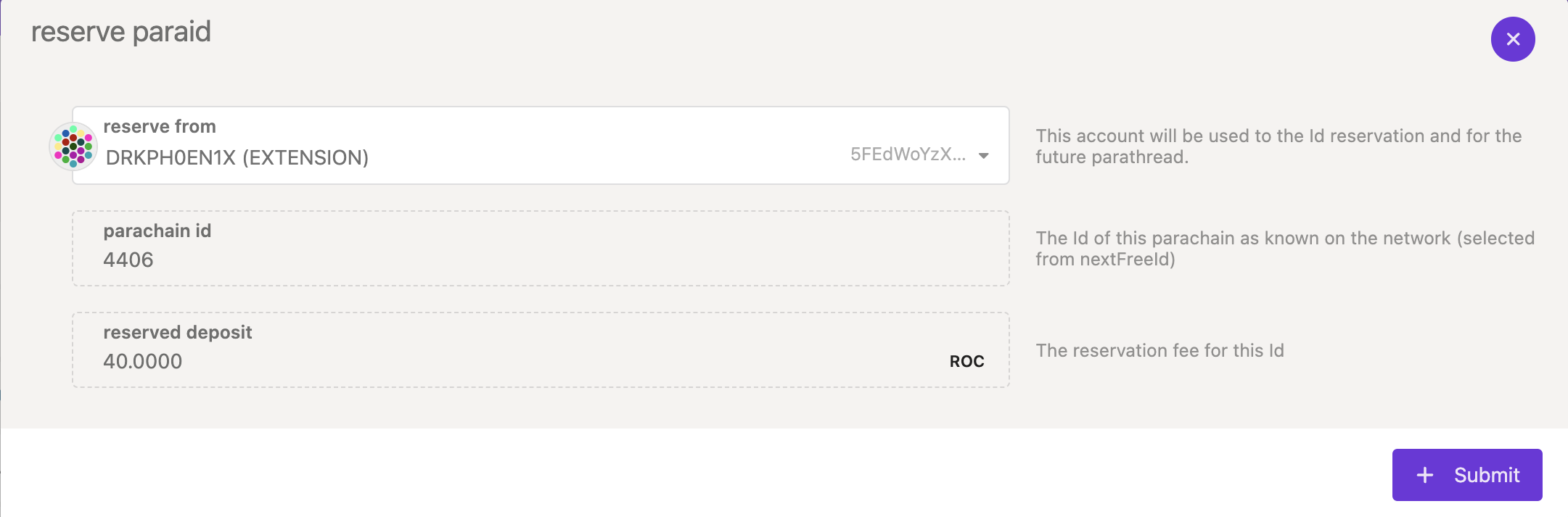
Section titled “Reserve ParaID”Reserving a ParaID requires a
deposit. The first step is to
register a ParaID for the parachain. This can be done through
Polkadot Developer Interface by navigating to
Network > Parachains > Parathreads and
clicking on ParaID button. Ensure that you have sufficient tokens to reserve the displayed ParaID
successfully.
Register Parachain State and Code
Section titled “Register Parachain State and Code”On Kusama, the deposit required to register a parachain is ~1100 KSM and an estimated fee of ~5 KSM.
On Polkadot, the deposit required to register a parachain is ~3300 DOT and an estimated fee of ~150 DOT.
It is possible to deregister the parachain and withdraw the deposit if the parachain has not produced any blocks. If the parachain produced blocks, then the parachain can only be deregistered through the relay chain's governance.
The next step is to register the parachain's genesis wasm and state, which you should have generated
earlier. Note that for this example, we are using adder-collator, but in theory a custom runtime
compiled from a
template
would work as well.
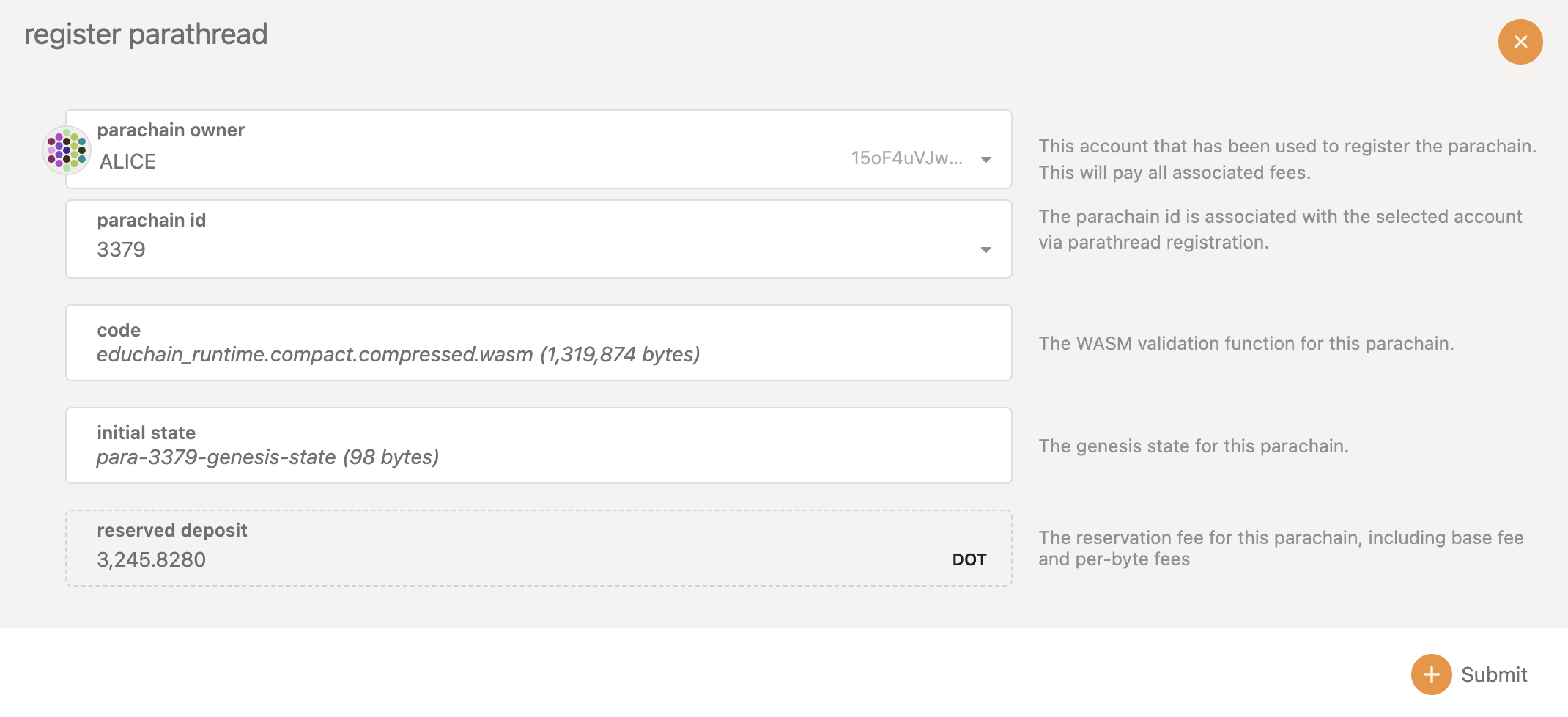
After successful registration, the parachain starts onboarding as a parathread. Note that the parachain id must be the same as the one used in the previous steps.
Run Parachain Collator
Section titled “Run Parachain Collator”While the parachain is onboarding, start syncing the collator using the following command to rapidly sync with the specified relay chain.
./target/release/adder-collator --parachain-id= $ParaID --chain=paseo --sync warpRun a Parachain with Bulk Coretime
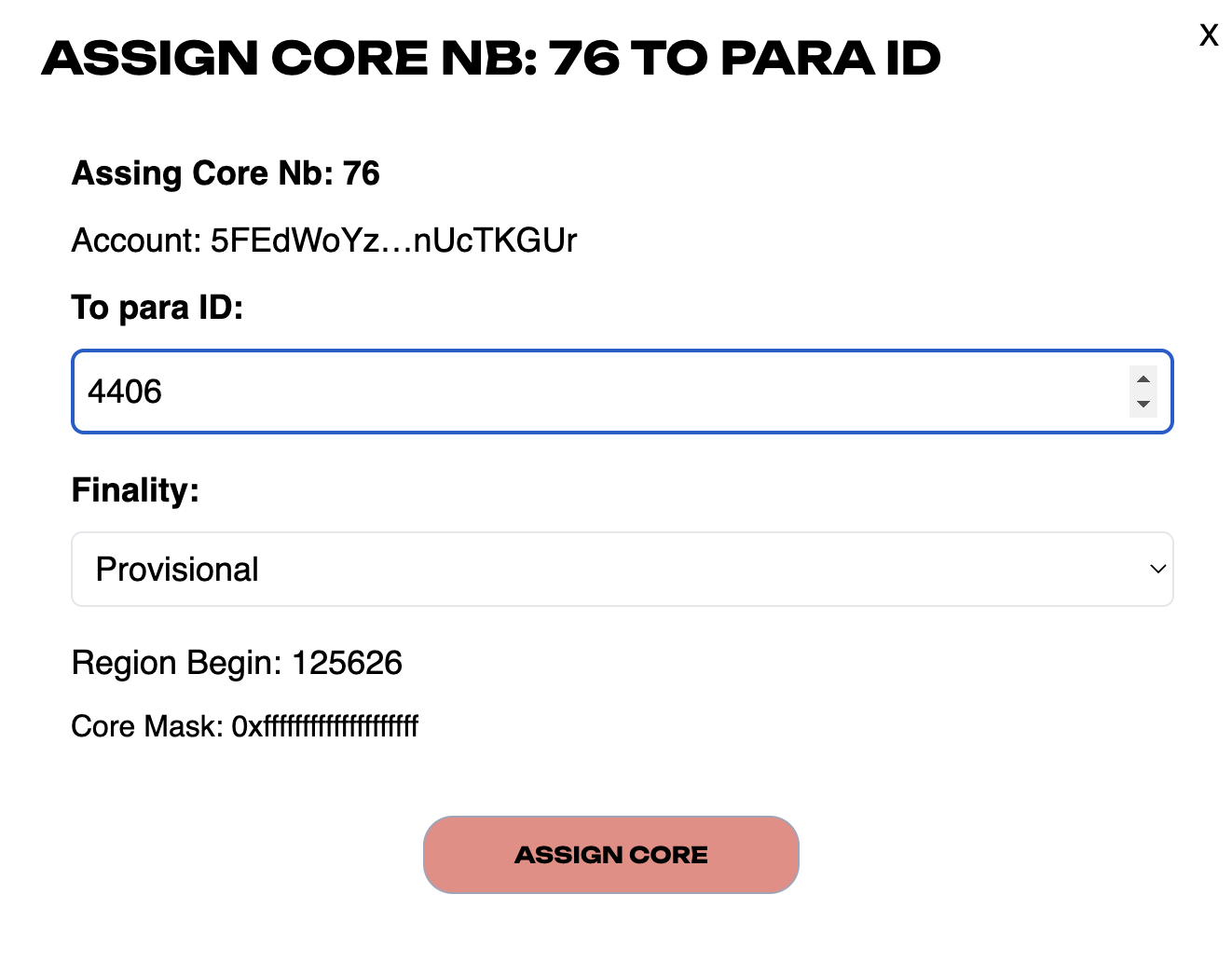
Section titled “Run a Parachain with Bulk Coretime”You can purchase bulk coretime on Coretime chain and
assign the purchased core to the registered ParaID. The snapshot below is from
Lastic interface.
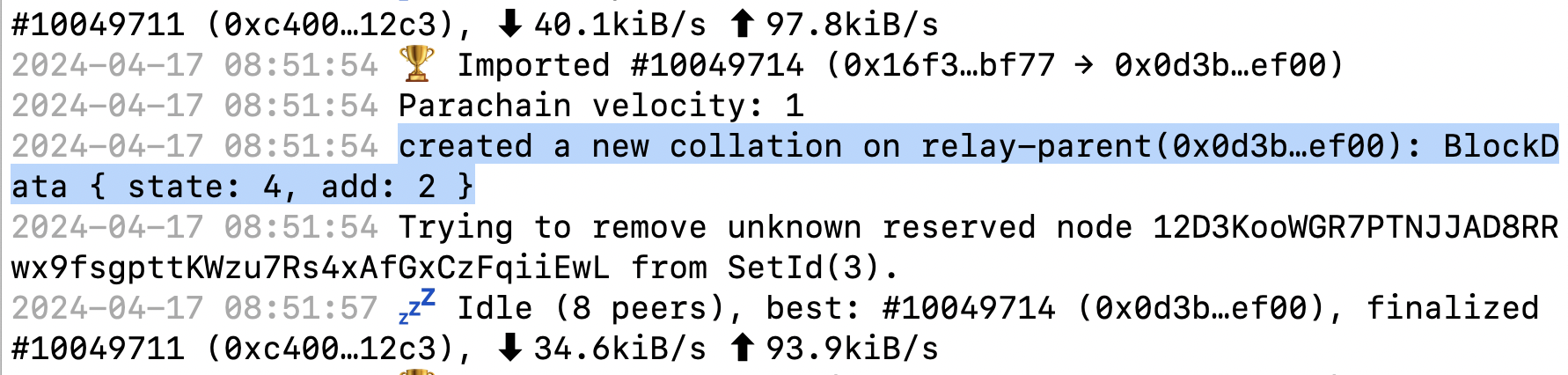
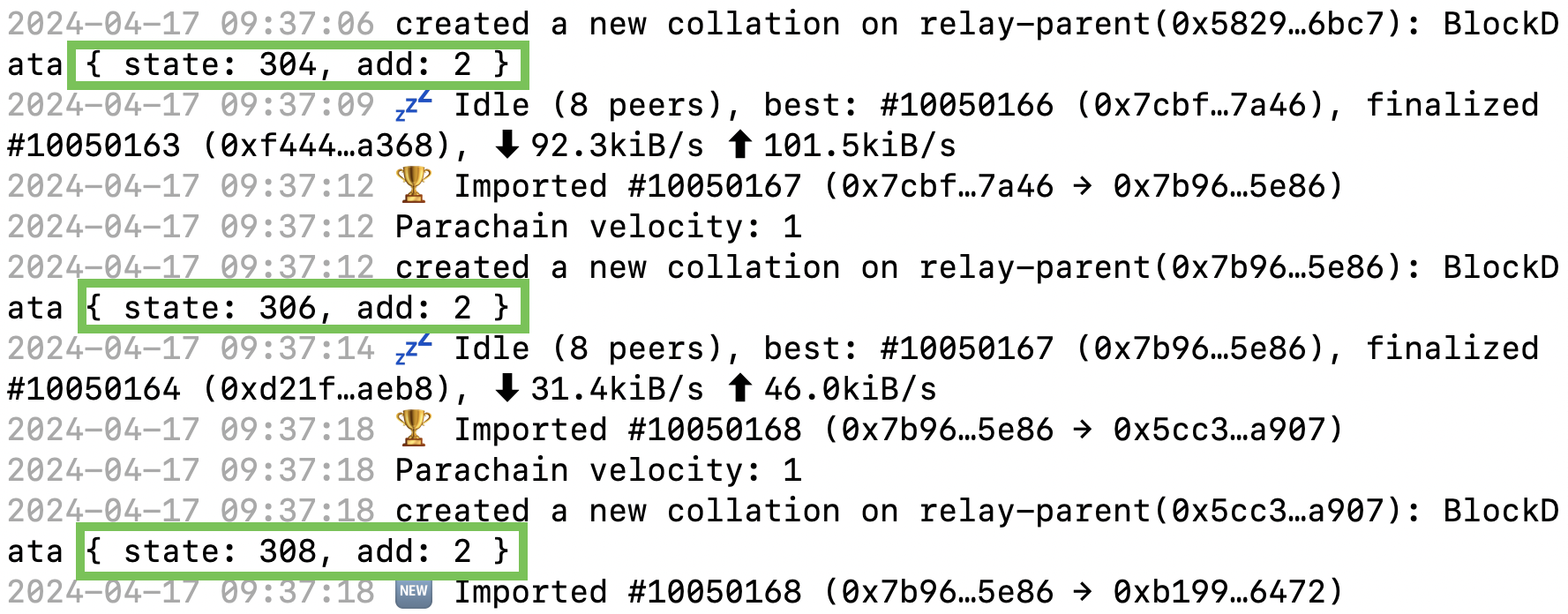
After successful assignment of the core, the adder-collator logs show new collations at regular
intervals, gradually incrementing the state by 2.
Run a Parachain with On-demand Coretime
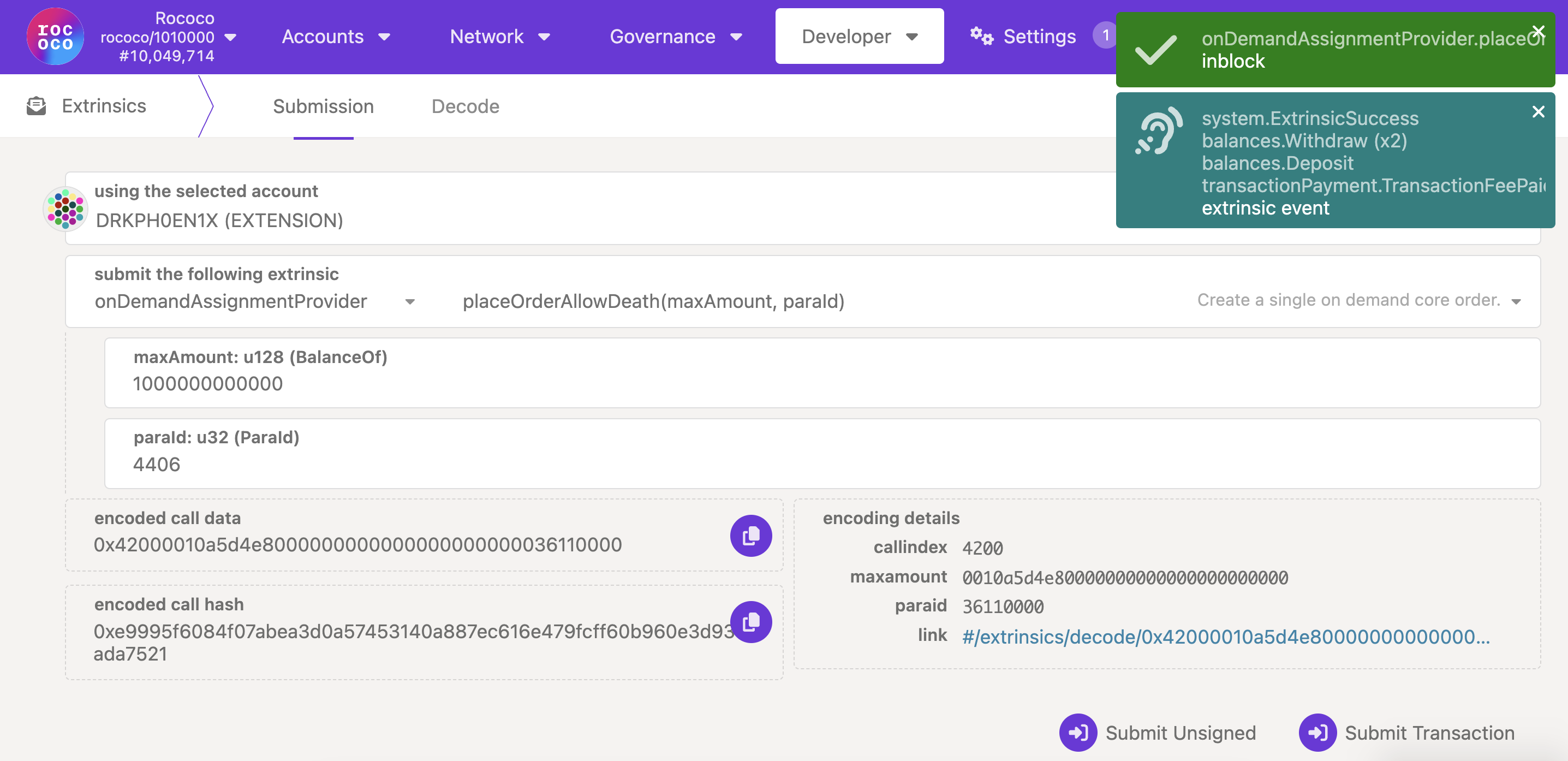
Section titled “Run a Parachain with On-demand Coretime”After the collator node is fully synced with the relay chain, navigate to
Developer > Extrinsics on the relay chain and issue
onDemandAssignmentProvider.placeOrderAllowDeath extrinsic from the account that registered the
ParaID by specifying sufficient maxAmountfor the transaction to go through successfully.
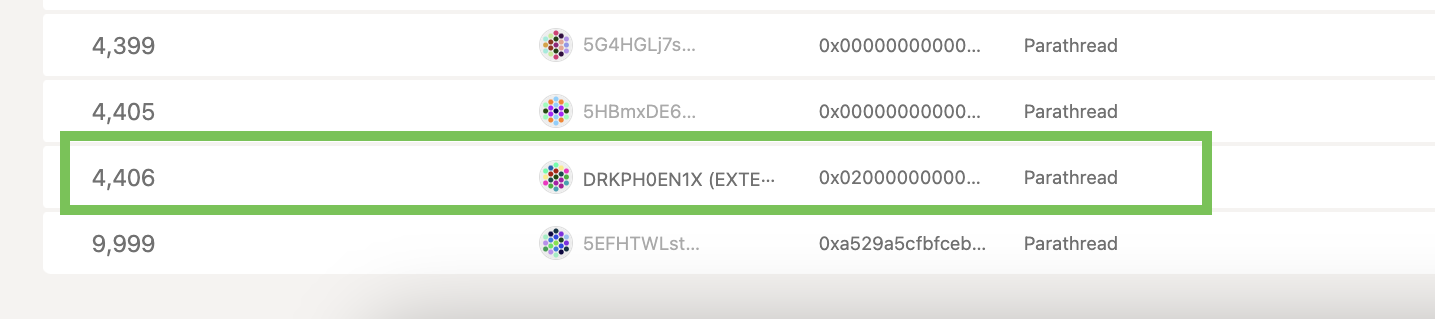
With each successful on-demand extrinsic, the parachain head changes (you may have to zoom out on the browser for parachain head details to show up on Polkadot Developer Interface).
The successful collation can also be verified in the parachain collator logs. It can be noticed that
with each parachain block, the state of adder-collator is incremented by 2.