

How to Create a Proxy Account
Polkadot allows users to set proxy accounts to perform a limited number of actions on their behalf. There are a few different types of proxies you can set up. You can read about the differences in this article.
Setting Proxies
Section titled “Setting Proxies”1. To set up a proxy account on the Polkadot Developer Interface, navigate to the "Accounts" page and click on the three vertical dots next to the account you'd like to select.
2. Next, select "Add proxy ."
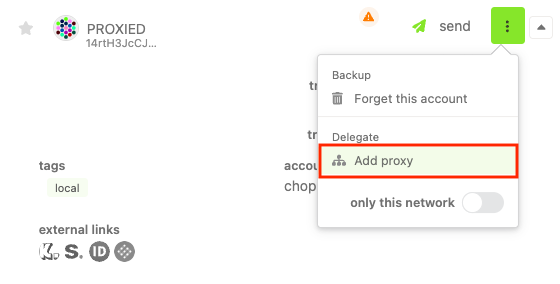
3. Select the "Add proxy" button again in the menu below. This will allow you to select or paste the account that will act as a proxy and the type of proxy it will be.
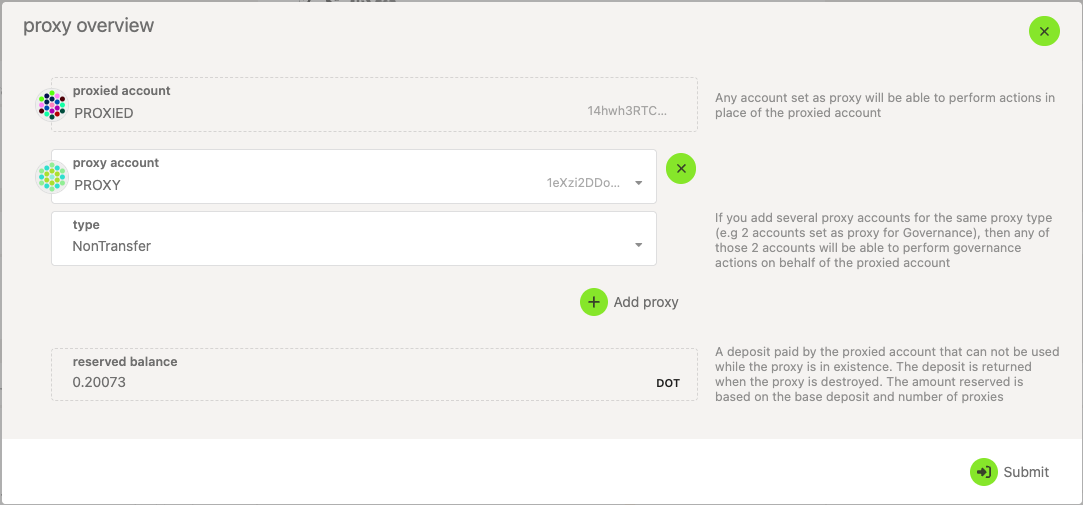
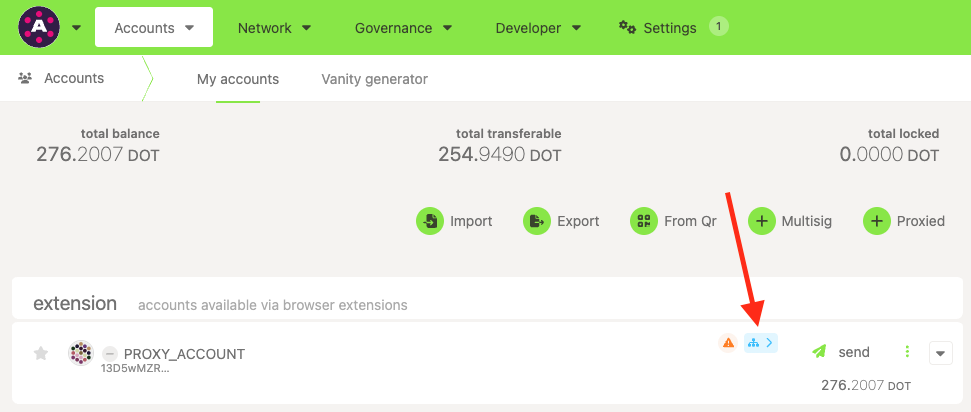
4. Sign and submit the transaction. The proxy account will then be assigned, and is denoted with a blue symbol on the "Accounts" page:
Removing Proxies
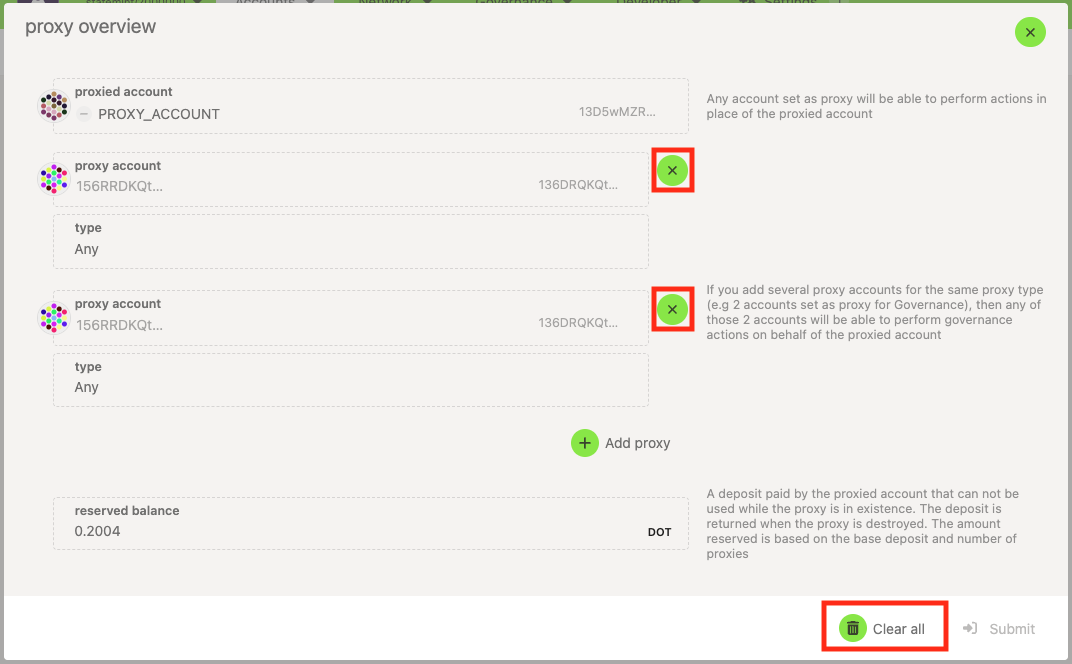
Section titled “Removing Proxies”There are two ways to clear proxies using the UI. The first is by clicking the blue symbol to select "Proxy overview."
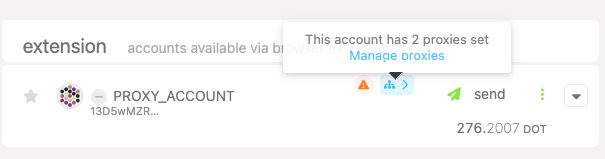
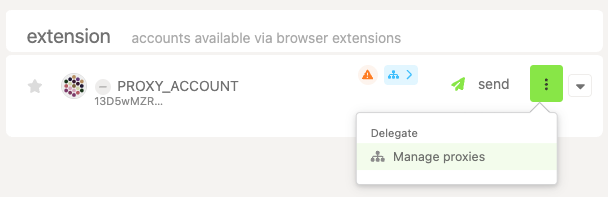
The second is by selecting the menu next to your account and clicking "Manage proxies " where "Add Proxy" used to be:
Either method will present the same menu, in which you can remove individual proxy accounts, or clear all of them at once:
Polkadot offers different types of proxies you can set, depending on the permissions use case. You can create the following types with the Polkadot Developer Interface, among others:
-
Any - this proxy type has permission to make any type of transaction, including balance transfers.
-
Non-transfer - this proxy type will allow any type of transaction except for balance transfers.
-
Governance - proxies of this type can make transactions related to governance (ConvictionVoting pallet, Treasury pallet, etc).
-
Staking - these proxies allow staking-related transactions. Not to be confused with the soon-to-be-deprecated controller accounts, which are needed for certain transactions. Staking proxies are meant to allow you to access your stash account less frequently.
For more proxy types, visit the Proxy Types article.
See more in-depth info about proxies in this article.
What are they useful for?
Section titled “What are they useful for?”Proxies are helpful for a few specific purposes because they add a layer of security. Rather than using funds in one sole account, smaller accounts with unique roles complete tasks for the main stash account.
For example, perhaps the owner of an account, Ferdie, wishes to delegate certain actions to her friend, such as decisions around Polkadot OpenGov. Rather than hand over her seed phrase, which would give that person full control over the account (and the ability to run away with the funds), they can instead create a governance proxy and set their friend's account as the proxy account. The proxy account won't be able to submit other types of extrinsics such as balance transfers. This allows Ferdie to give her friend permission to execute governance transactions (for example, voting, referenda creation, etc.) on her behalf, in a more trustless manner.
Check out this video, which explains proxy accounts in more detail:
What are Proxy Accounts on Polkadot Network?