

Social Recovery
Managing an account is not an easy task. Many people have lost their private keys due to improper key management over the past few years. Kusama provides a method that allows users to recover their accounts by setting up a social recovery. It is an M-of-N recovery tool based on the multi-signature wallet to get back access to your lost account.
caution There is no way to get back your private key by using this method
This is just a way of performing transactions on behalf of the lost account, so you can think of it as a proxy instead. s In this guide, you will learn how to create a recoverable account, how to recover it, and what you need to be aware of when using it.
Create a Recoverable Account
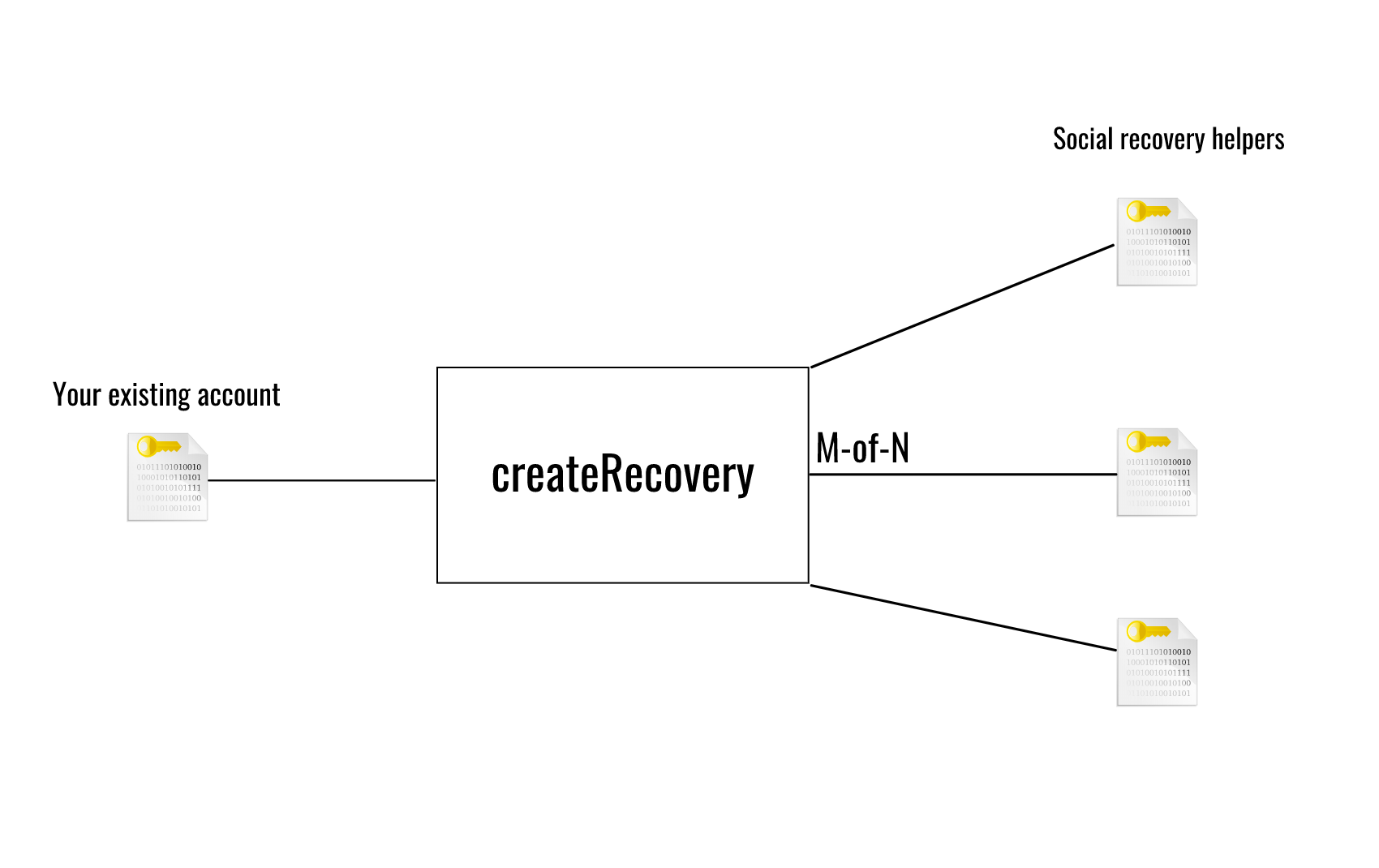
Section titled “Create a Recoverable Account”You will use your existing account to call createRecovery to select a list of accounts you trust
to help you recover the account when you lose the private key. To create a recoverable account, you
will be required to set a threshold that is the number of your friends who need to approve the
recovery process to recover your account.
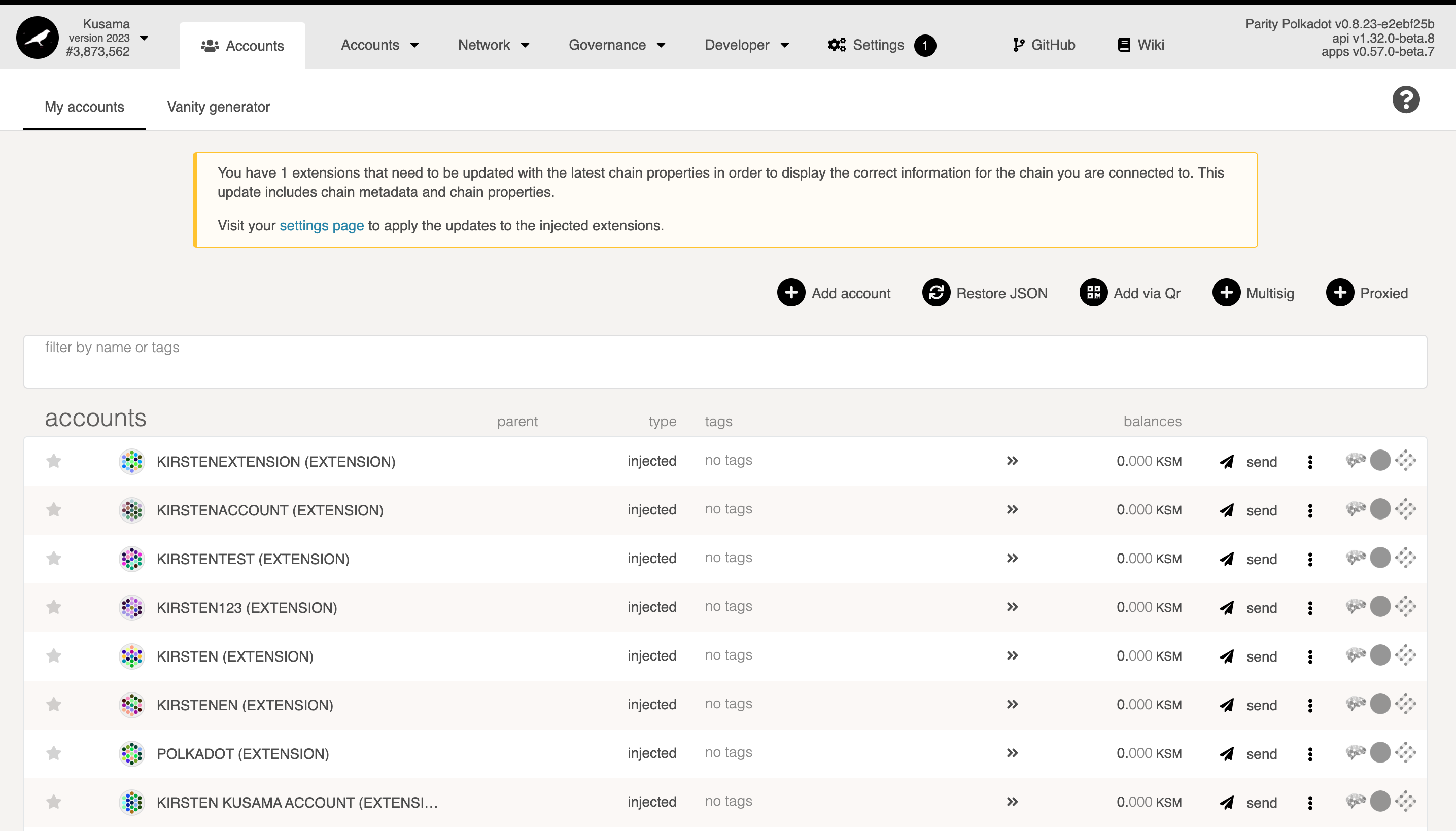
First, see the Accounts page on Polkadot-JS Apps that shows all available accounts on your browser's local storage and Polkadot Developer Signer. To create a recoverable account, make sure you have some KSM to pay the transaction fees. You will also need some for the reserve required by the account recovery setup.
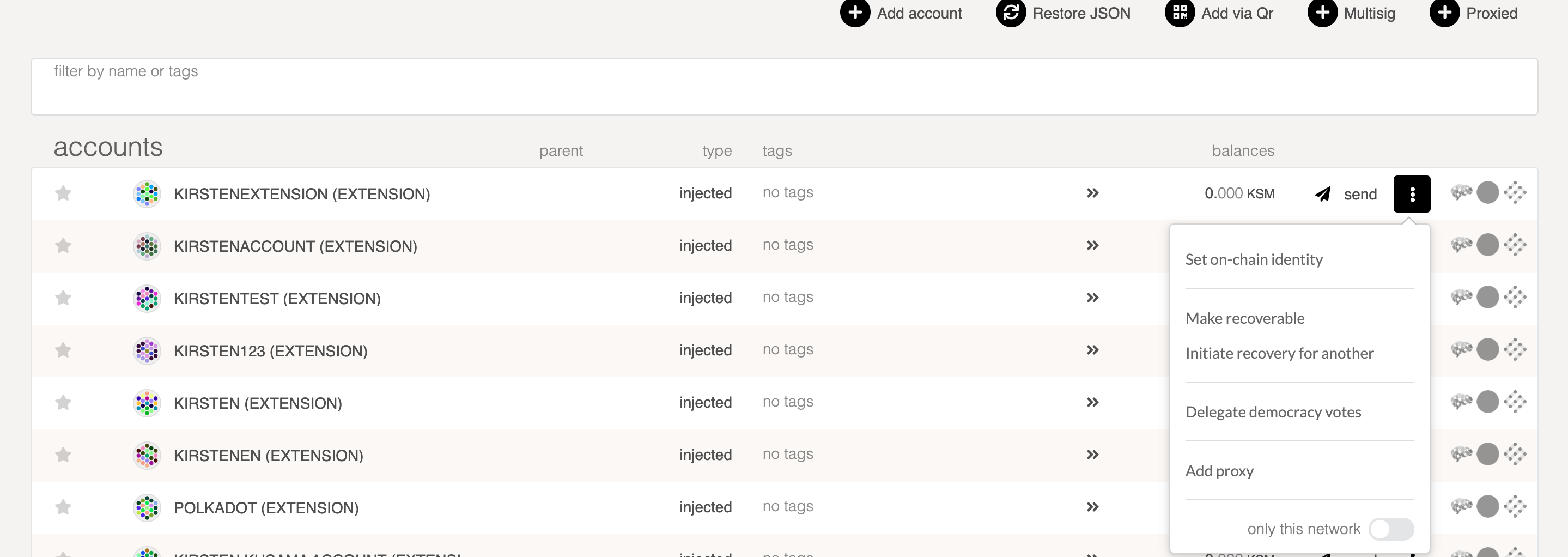
Then, click the menu beside the "send" button, and choose "Make recoverable".
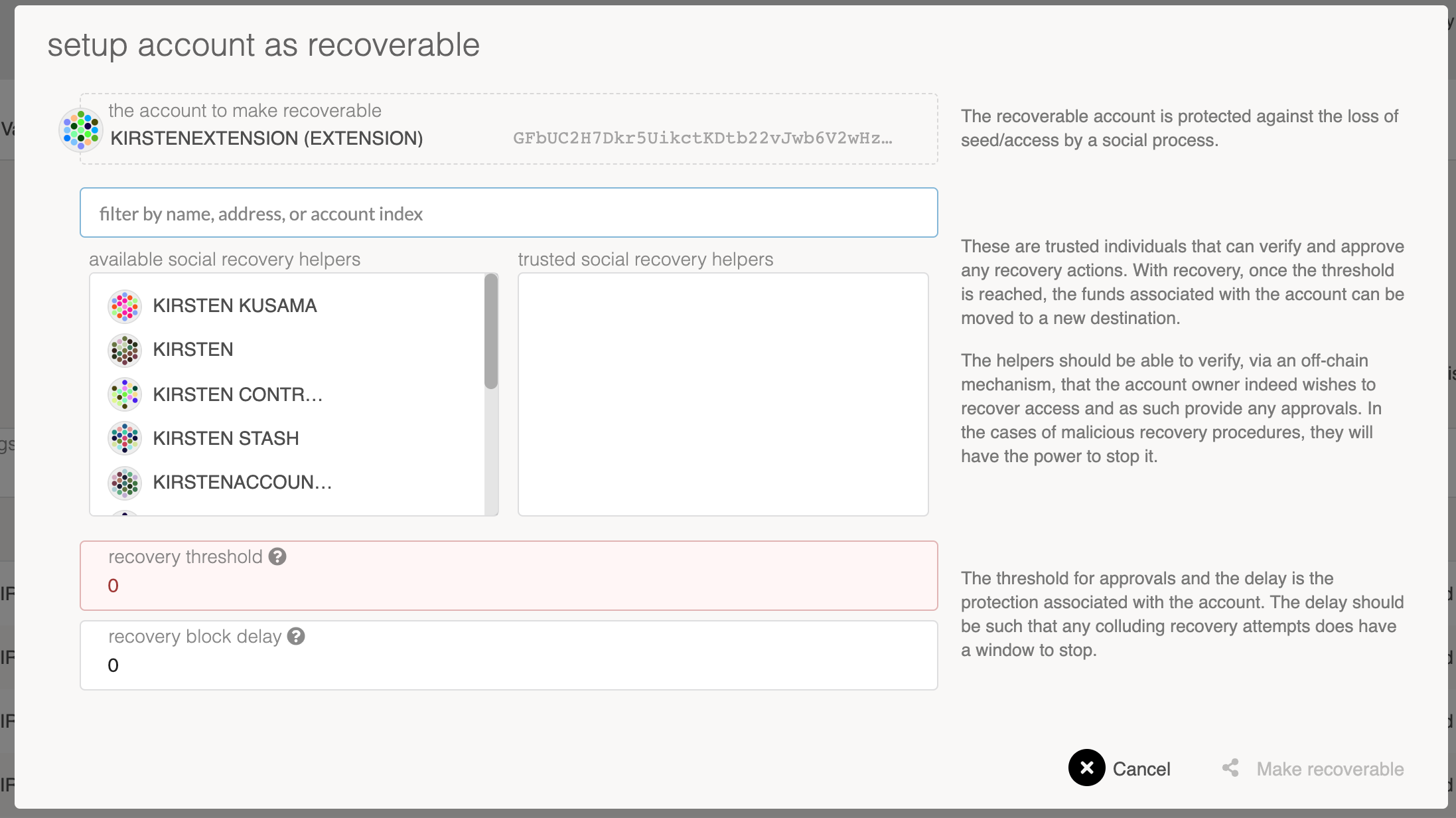
Now you need to provide the following information:
trusted social recovery helpers - A list of accounts that you trust. These can help you if you
lose the private key. Since setting up a recoverable account requires you to lock up KSM, ensure
your account has enough transferable balance to cover it. As you select additional recovery helpers,
more KSM will be required.
recovery threshold - The number of friends required to submit a vouchRecovery transaction in
order to recover the account.
recovery block delay - Once the threshold is reached, you will need to wait until the block delay
has passed until you can claim the recovery. This is a protection mechanism to allow the account
owner to have enough time to check and react in case someone pretends to be you and initiates a
recovery process.
Recover your Account
Section titled “Recover your Account”This section would be showing you how to initiate a recovery process and get back the balance that held in the lost account to the new account.
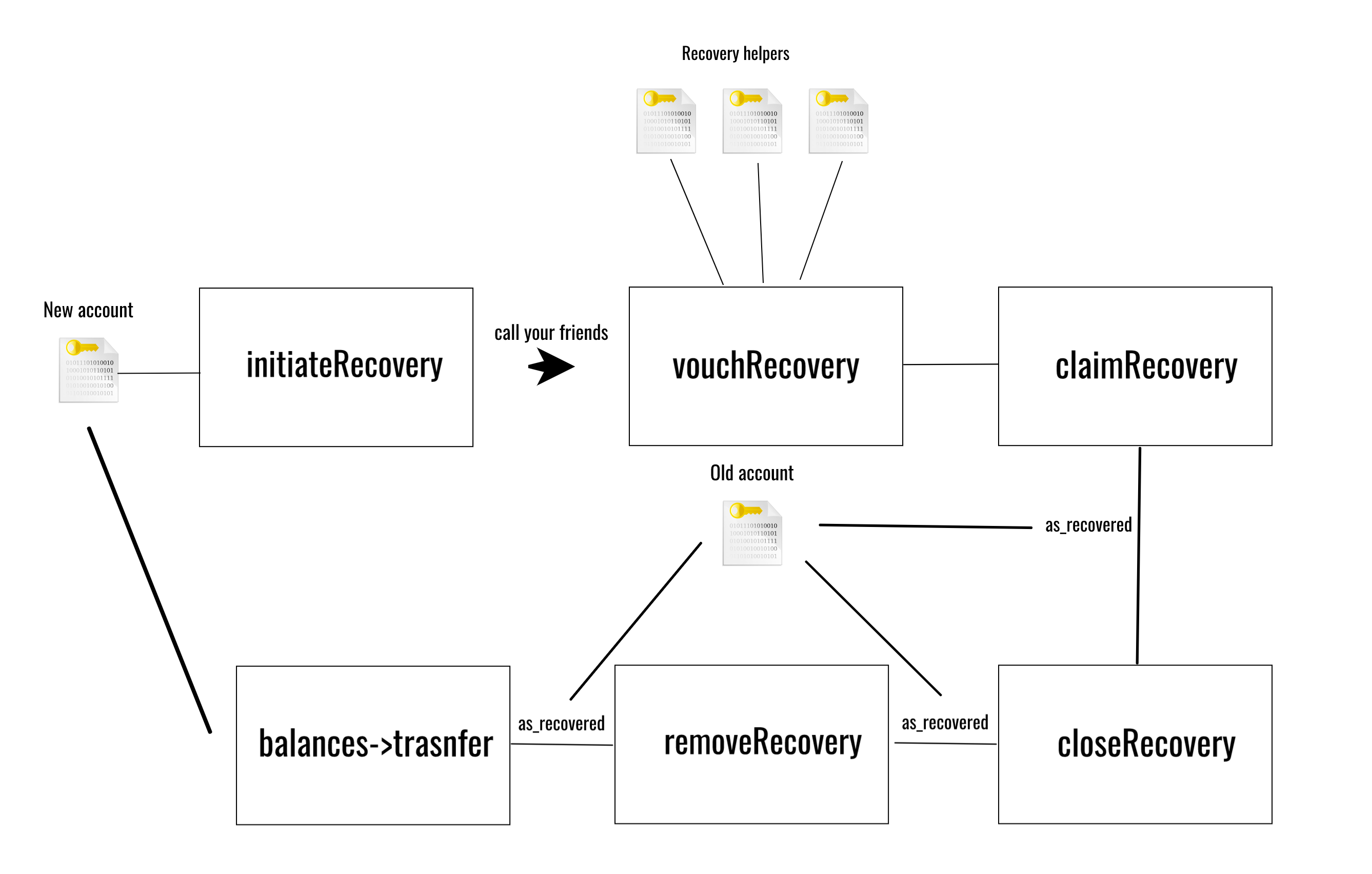
The above diagram shows the whole process of recovering an account.
Navigate to the menu beside the send button in the row of your new account and click the "Initiate recover for another" option.
Then input the address you would like to recover in the "recover this account" field and click "Start recovery".
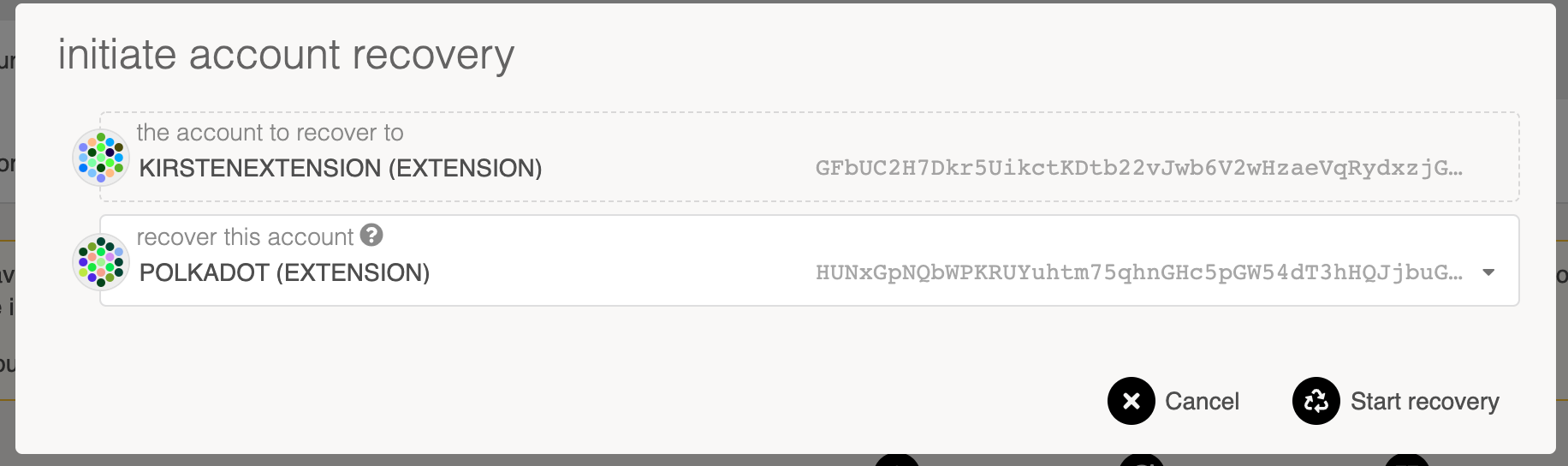
Once the transaction went through, some KSM will be locked to prevent malicious behavior.

Now call your friends that you have set in the first section, but heading over to "Developer" >
"Extrinsics" and using the recovery pallet. They are required to submit a vouchRecovery
transaction.
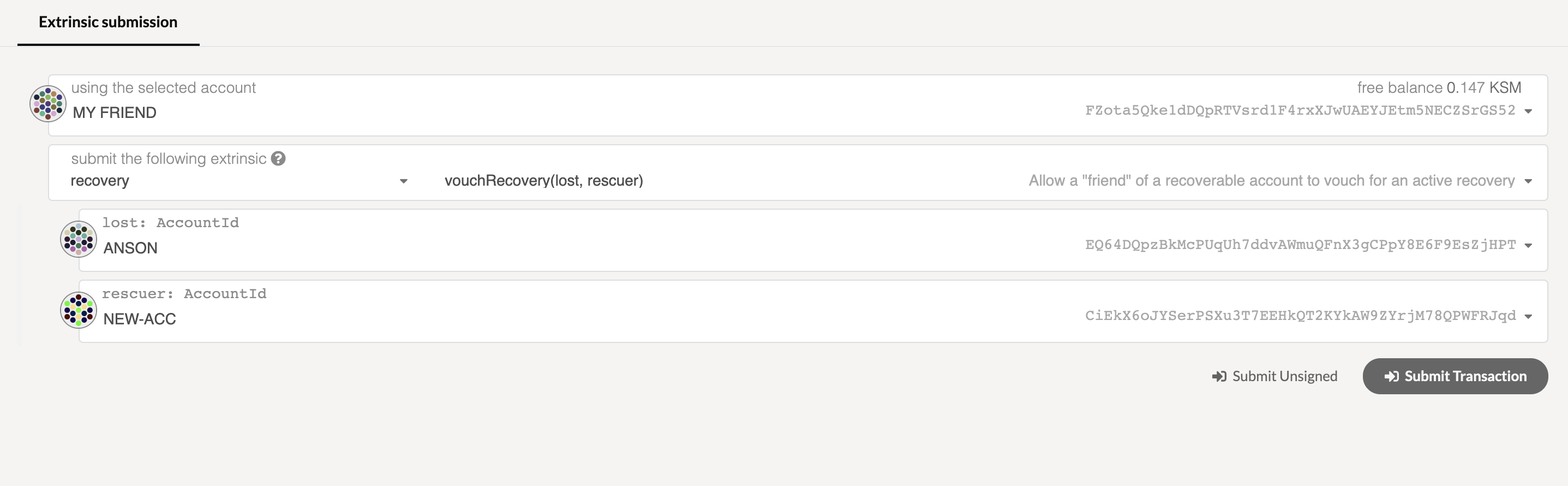
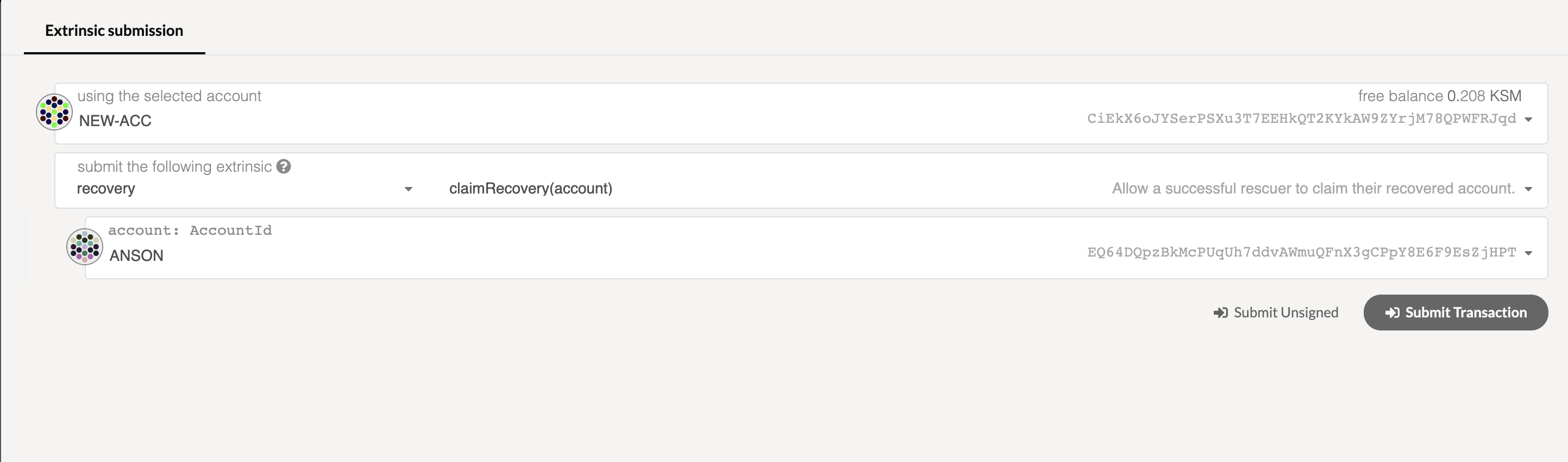
Once the threshold is reached and the block delay is passed, use the new account to submit a
claimRecovery transaction that would set a proxy on behalf of your lost account. It means that you
can still indirectly use the lost account to interact with the network.
To see the proxy information, use your new account by calling the "recovery->proxy(Accountid)" function at the Chain state page. It should point to your lost account.
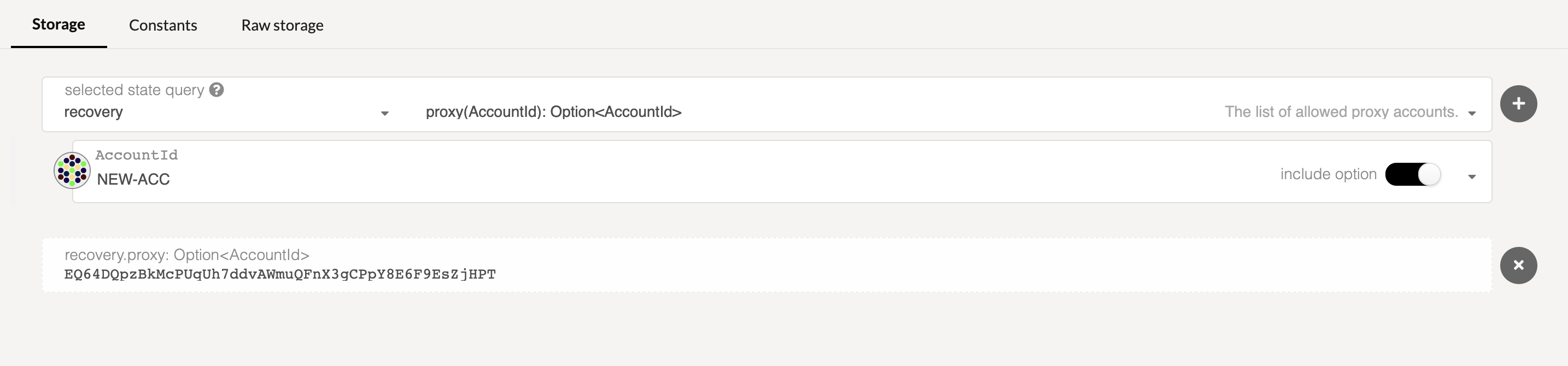
Next, in order to call the "closeRecovery" transaction, you can make use of the "asRecovered" function as your lost account to get the locked KSM.
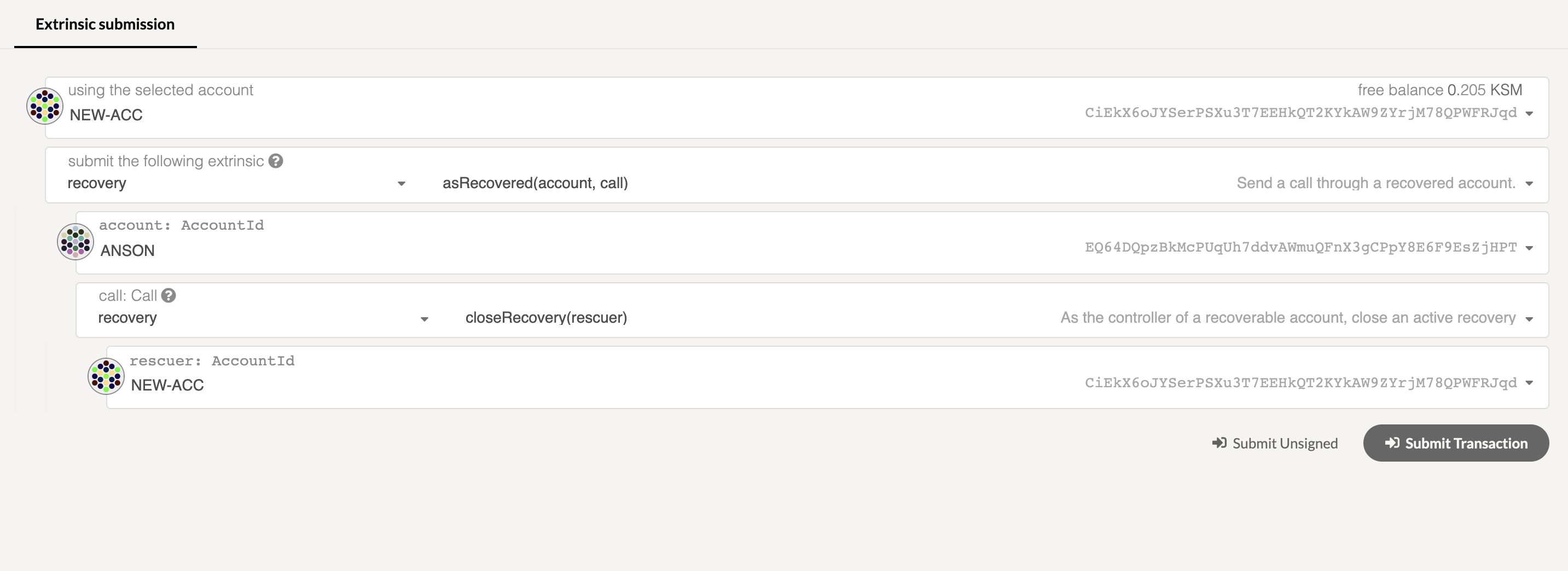
Once the transaction goes through, the reserved KSM from the "NEW-ACC" will have been moved to the lost account. This is a way of preventing someone from recovering other accounts maliciously. Imagine if someone tried to initiate recovery on your account; you can do this to slash their locked KSM.

Moving on, we use the asRecovered function to submit the removeRecovery transaction on behalf of
the lost account to release the reserved KSM from your lost account.
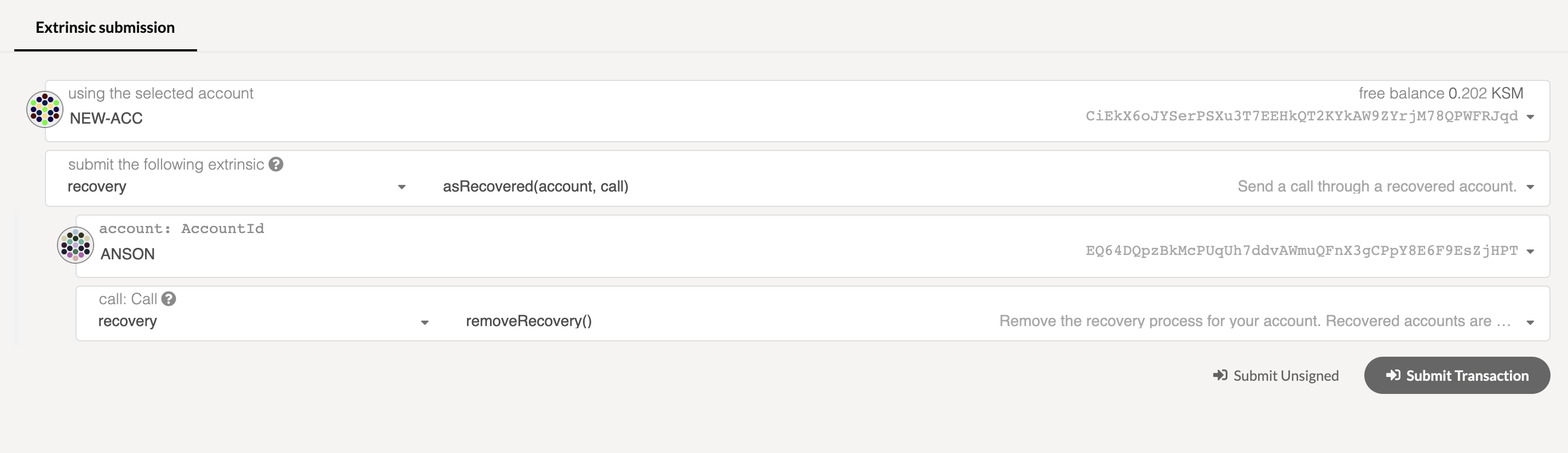
Now your account balance should be transferable.

Finally, transfer all of your available balance from the lost account to the new account.
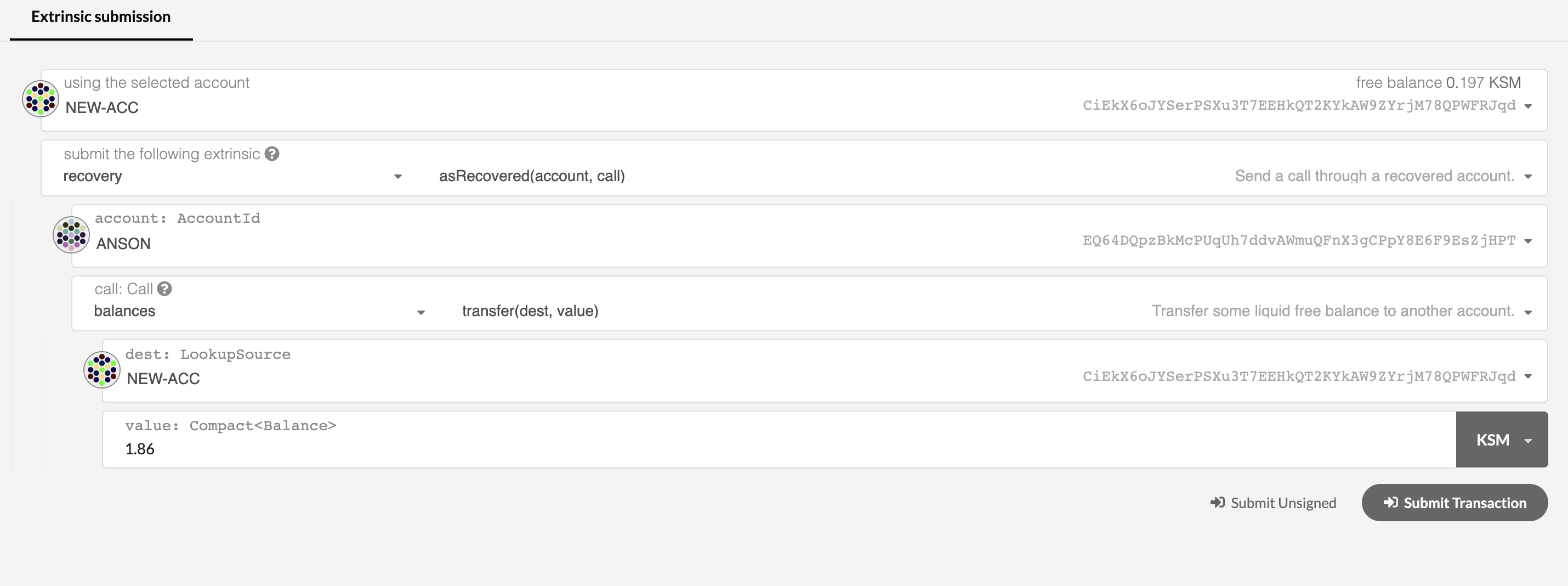
The recovery process is now complete and successful.

Further Reading
Section titled “Further Reading”- Substrate's Recovery Pallet - The Rust implementation of the recovery pallet.