

How to Send / Transfer Funds
Whether your account is in the Polkadot Developer Signer or created/added directly on the Polkadot Developer Interface, you'll need to use the Polkadot Developer Interface to send funds or issue any extrinsic. The Polkadot Developer Signer is an account manager, not a wallet, so it requires a UI to interact with.
1. To withdraw DOT from your account and send funds out, click on "Transfer" in the Accounts menu or click the "Send" button on the Accounts page next to the account you want to send from:
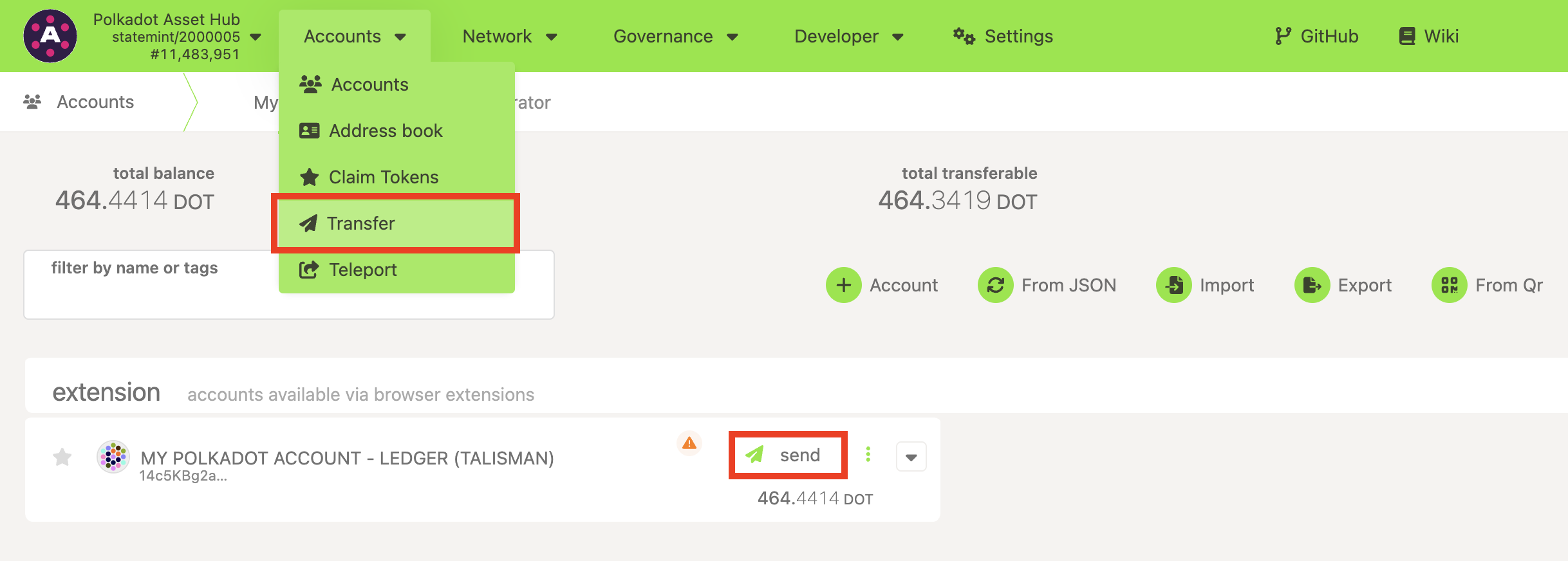
2. Both options will take you to the following pop-up window, where you can enter the destination account and the amount you want to send. If you clicked the "Send" button to get here, the "Send from" account will already be set.
For the receiving account, you can either select an account from the drop-down menu, which lists all your accounts and all the accounts in your Address Book, or simply paste an address. The receiving account doesn't have to be in your Address Book:
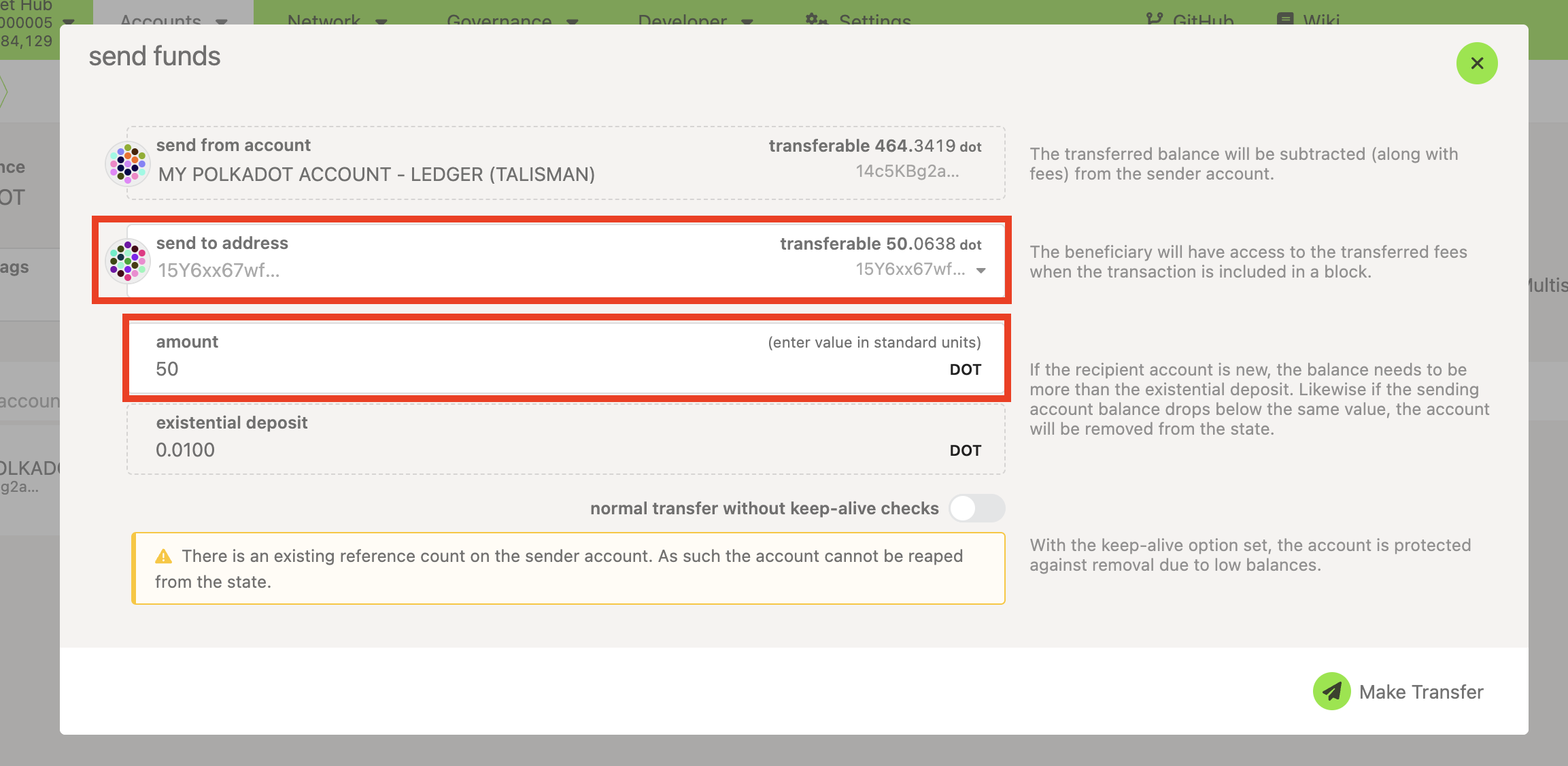
3. Once you have entered all the details, click on the "Make Transfer" button. It will take you to the pop-up window shown below, which will display your expected transaction fees in milli DOT.
4. Once you're ready to make your transaction, enter your password and click the "Sign and Submit " button:
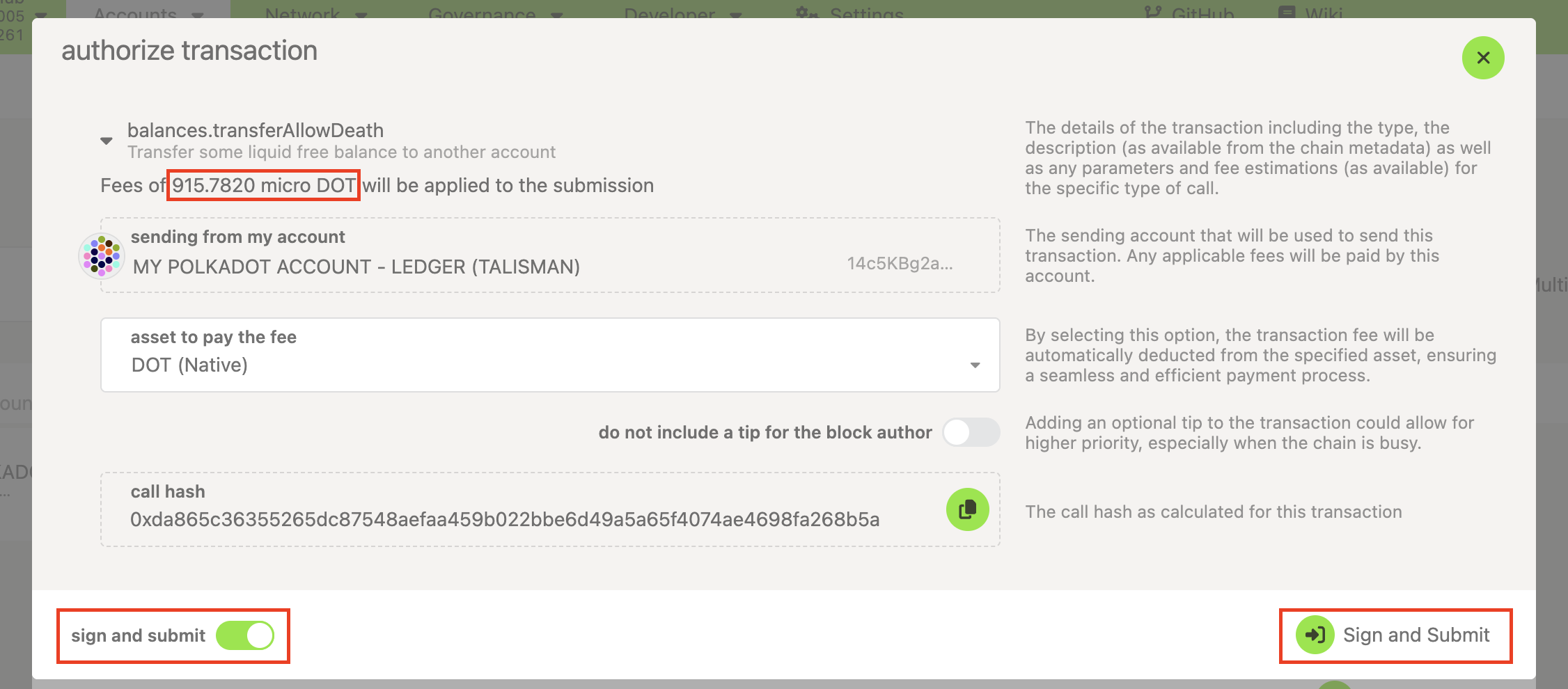
5. Signing a transaction is slightly different depending on how you created your account. Here are the guides for all wallets and account managers you can use on the Polkadot Developer Interface:
How to sign a transaction in the Polkadot Developer Signer
How to sign a transaction directly on the Polkadot Developer Interface
How to sign a transaction in Parity Signer
How to sign a transaction on Ledger
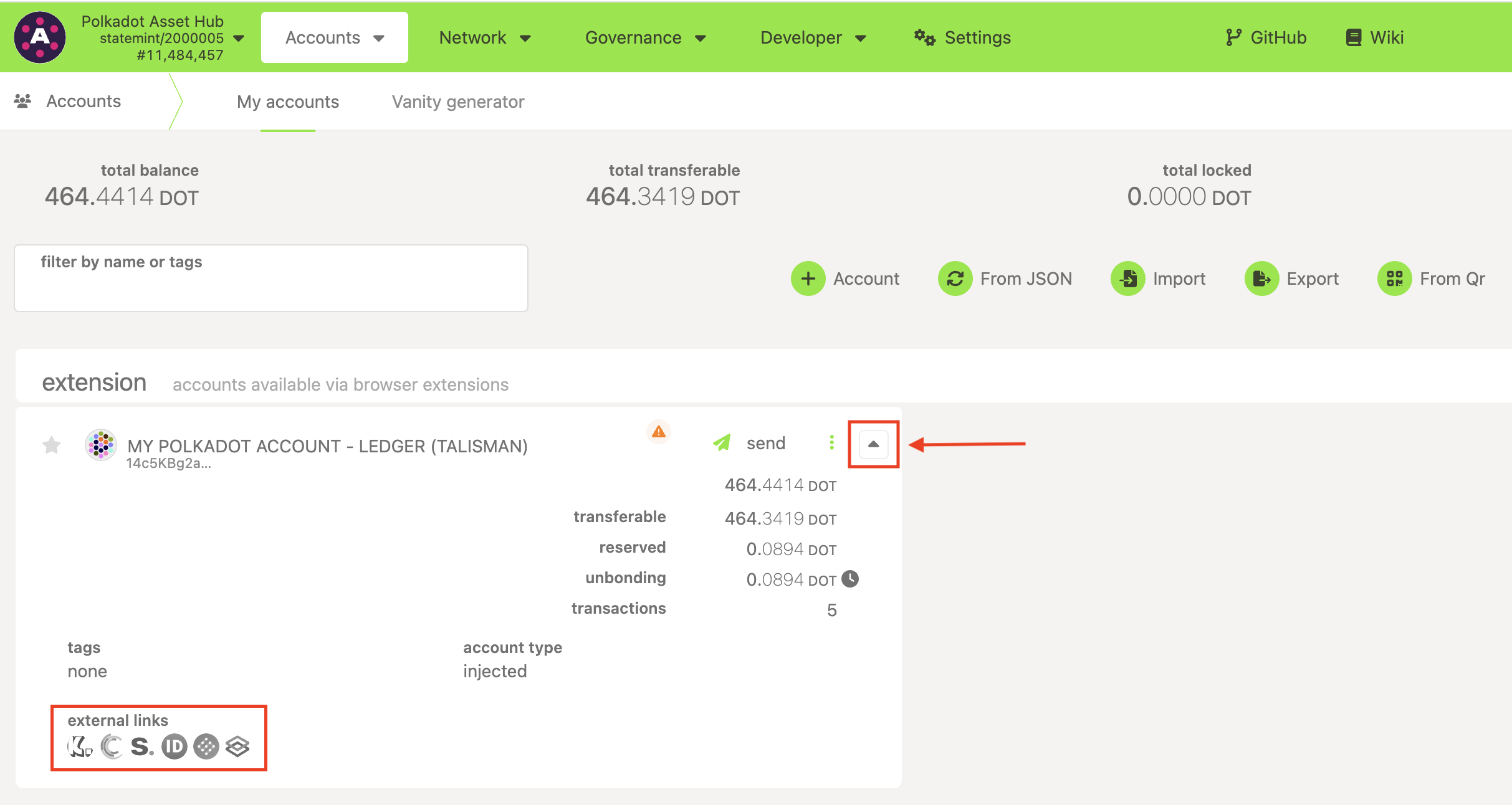
6. You've signed the transaction. It will be included in the blockchain within a few seconds. You can now open any of the block explorers to view your transaction:
If you are more of a visual learner, check the video below at mark 02:38: