

How to Withdraw USDT from Exchanges on Asset Hub
In this article, you'll learn how to withdraw USDT from centralized exchanges to your account on Polkadot Asset Hub. By using USDT on Asset Hub, you can take advantage of the extremely low fees needed to send assets.
Bitfinex and Binance are provided as examples, but other exchanges might offer USDT on Asset Hub in the future, with similar processes to withdraw.
How to withdraw USDT from Bitfinex
Section titled “How to withdraw USDT from Bitfinex”Bitfinex offers USDT withdrawals on Polkadot Asset Hub.
1. First, log in to your Bitfinex account.
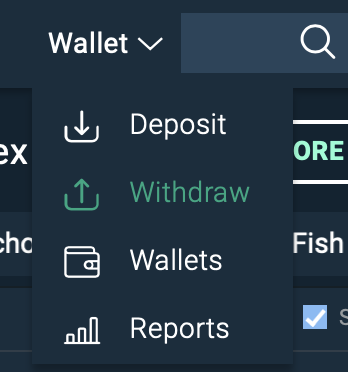
2. Click on "Wallet" on the top right and select "Withdraw":
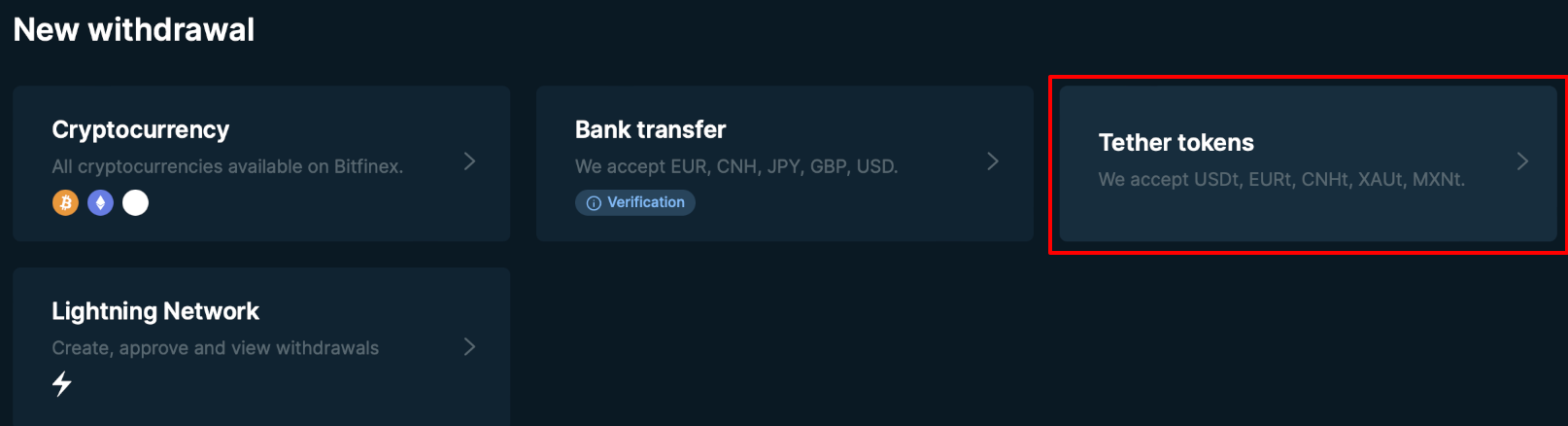
3. From the "New withdrawal" panel, select "Tether tokens":
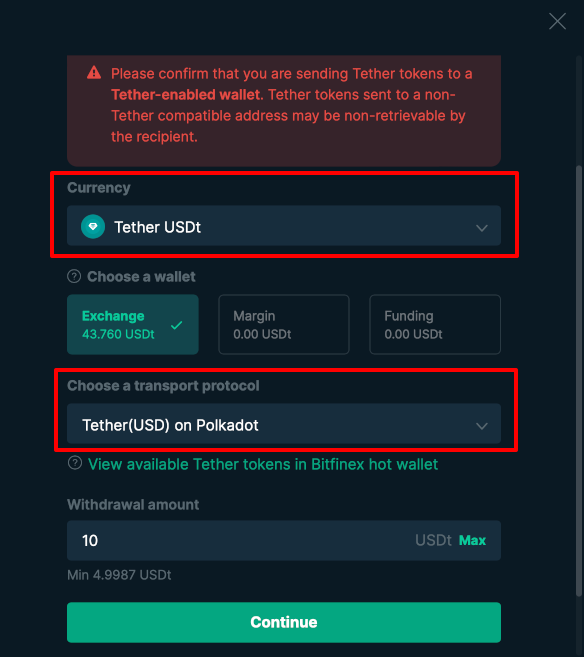
4. On the new screen that opens up:
- Ensure that "Tether USDt" is selected as "Currency"
- Select one of your wallets (Exchange, Margin, or Funding) where you have USDt balance
- Choose "Tether(USD) on Polkadot" as the "Transport protocol."
- Then, type the amount you wish to withdraw and click on "Continue":
5. Copy your Polkadot Asset Hub address from your wallet (remember that it's the same as your Polkadot address) and paste it into the address field. Double-check that it's the correct account address:
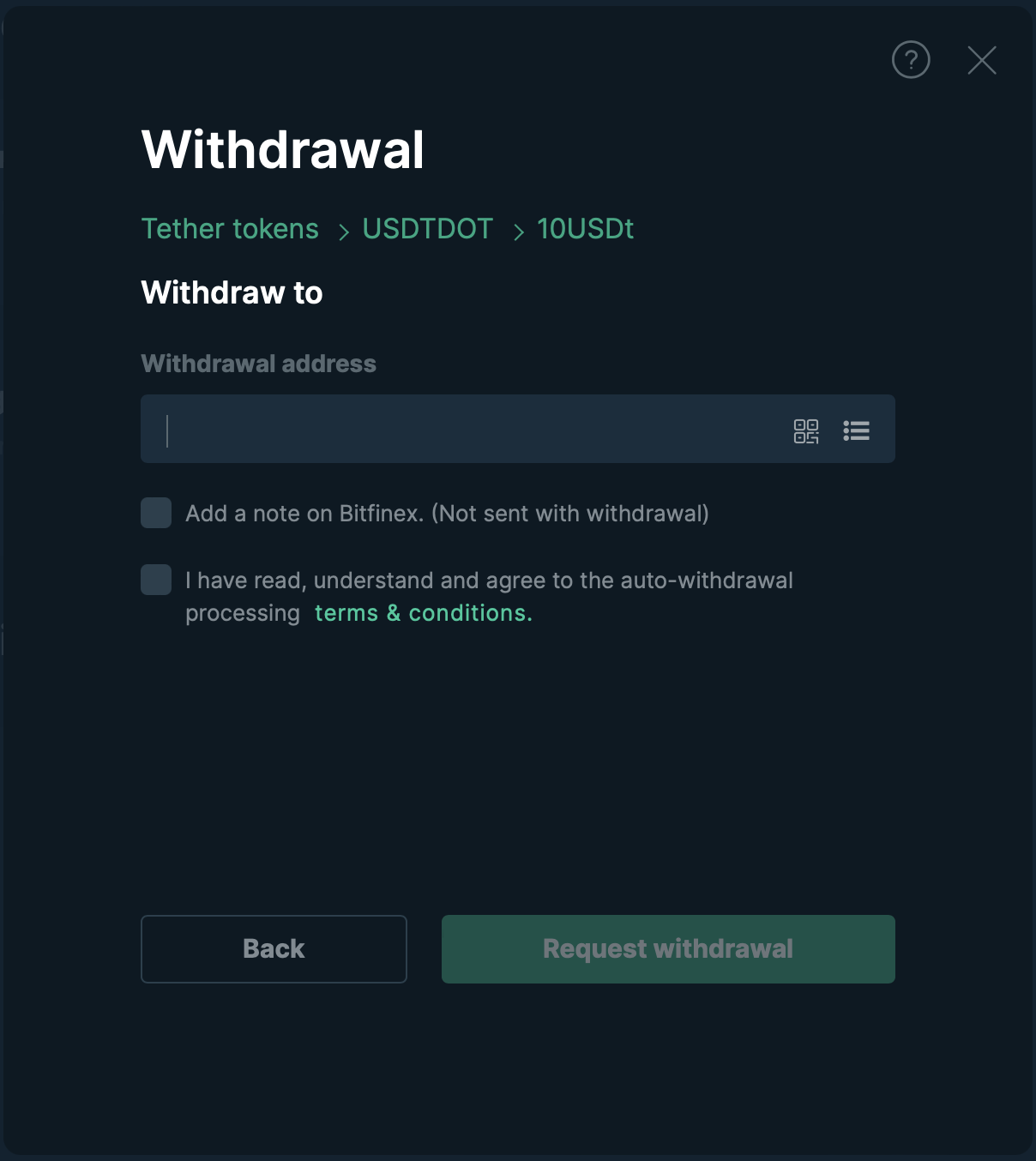
6. Acknowledge that you've read and understood the conditions, and then click the "Request Withdrawal" button.
7. After you go through Bitfinex's security checks, your withdrawal will be processed in a few minutes, and you'll see your USDT in your Polkadot Asset Hub account.
How to withdraw USDT from Binance
Section titled “How to withdraw USDT from Binance”Currently, Binance only offers withdrawals on Polkadot Asset Hub.
1. Login into your Binance account.
2. From the top section, select "Withdraw Crypto."
3. Select "USDT TetherUS" on the new screen as the coin to withdraw:
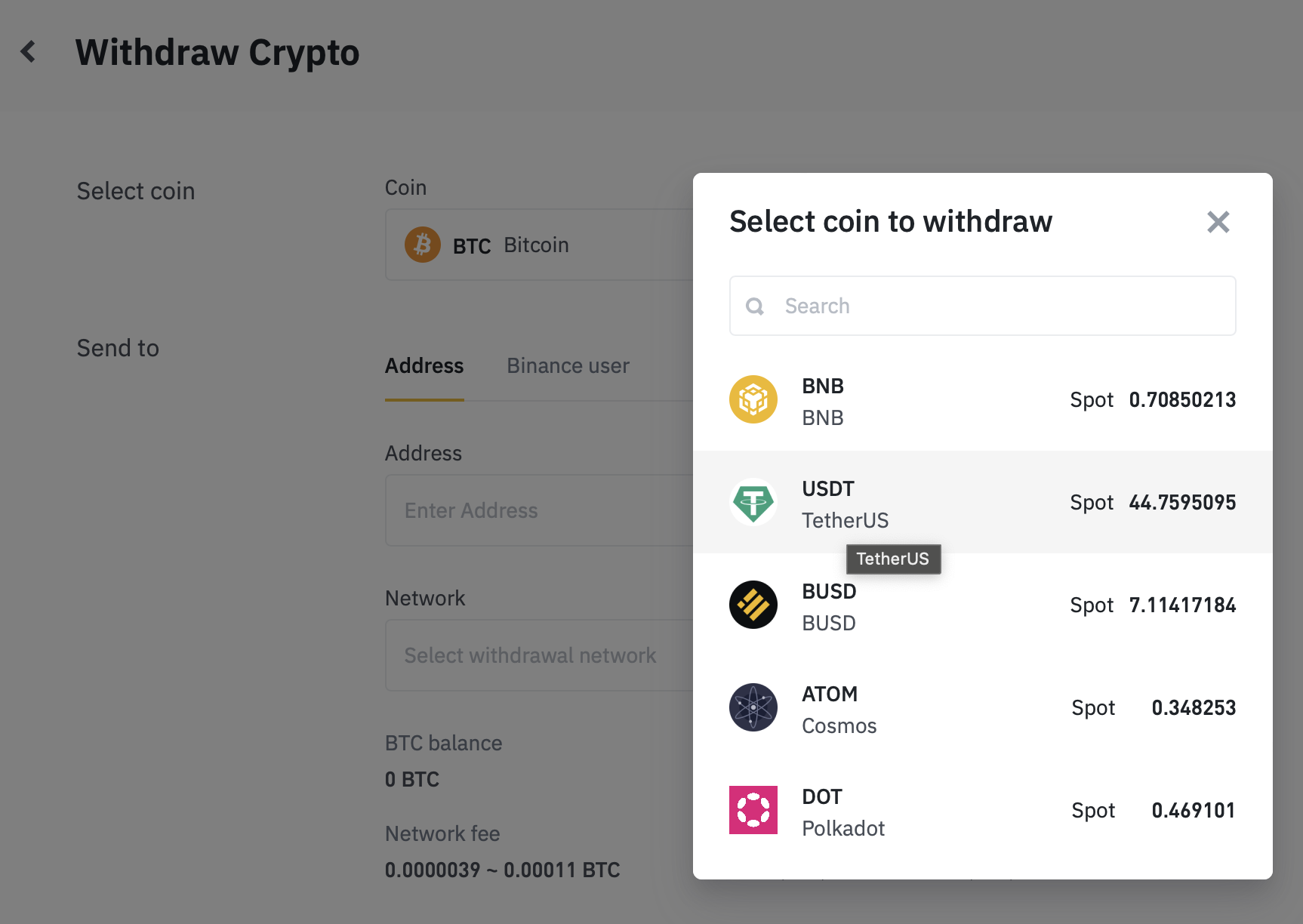
4. Now, from the "Send to" section, select the Polkadot Asset Hub network from the withdrawal network drop-down menu (it may still appear as "Statemint (Polkadot)").
5. Copy your Polkadot Asset Hub address from your wallet (remember it's the same as your Polkadot address) and paste it into the address field. Double-check that it's the correct account address.
6. Check that everything is correct and type the amount you want to withdraw from your desired Binance wallet:
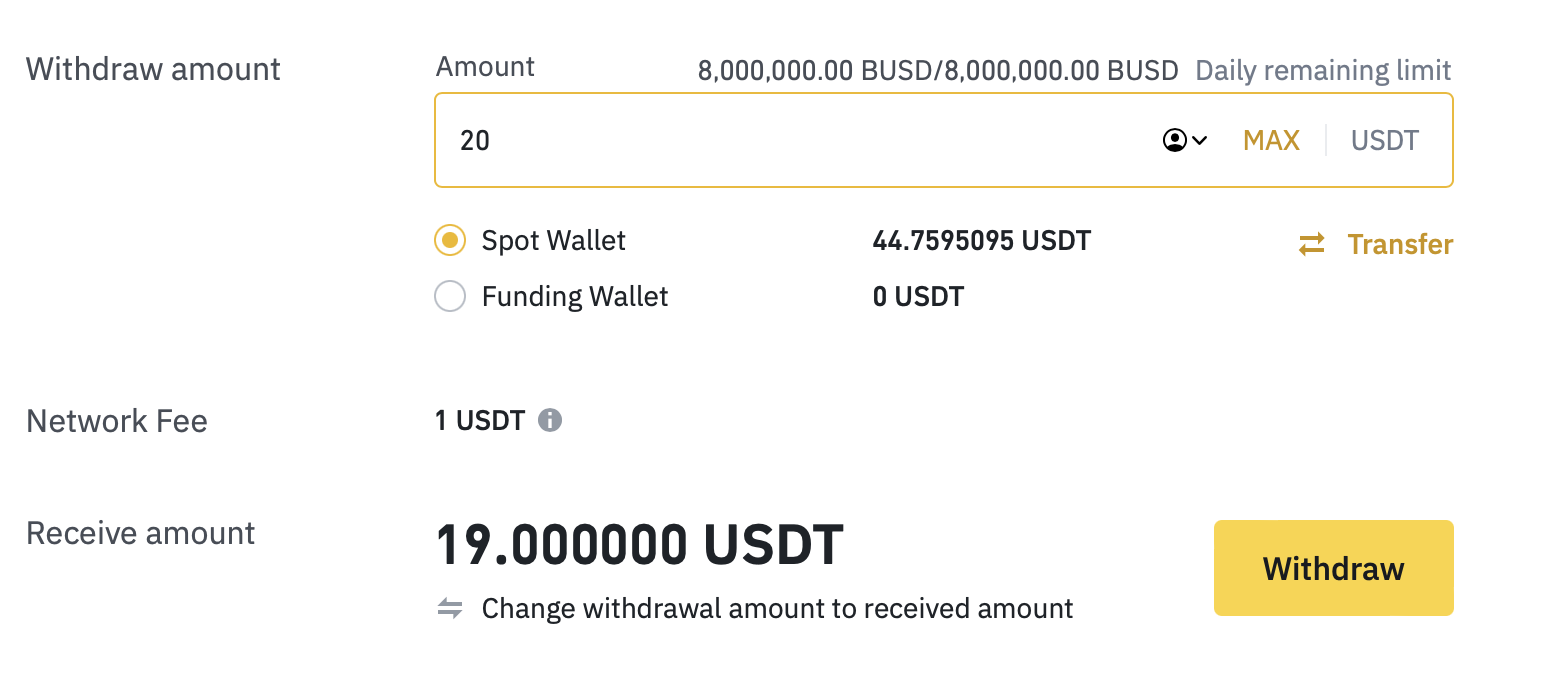
7. Click on "Withdraw" and that's it. Your withdrawal should be processed by Binance and your funds will reach your address in a few minutes.
In this article, you learned how to withdraw Tether (USDT) from an exchange account. If you want to send USDT tokens from your Asset Hub account to another account, check out this article.