How to Transfer Tether (USDT) on Polkadot
Tether (USDT) is now available on Polkadot. You can check their official announcements.
USDT was made into a sufficient asset on Polkadot Asset Hub through OpenGov Referendum 80, which means that the receiver account doesn't need to hold an existential deposit in the native DOT token to receive USDT.
However, an account still needs to hold at least the minimum USDT balance , which is 0.01 USDT on Polkadot.
How to transfer USDT
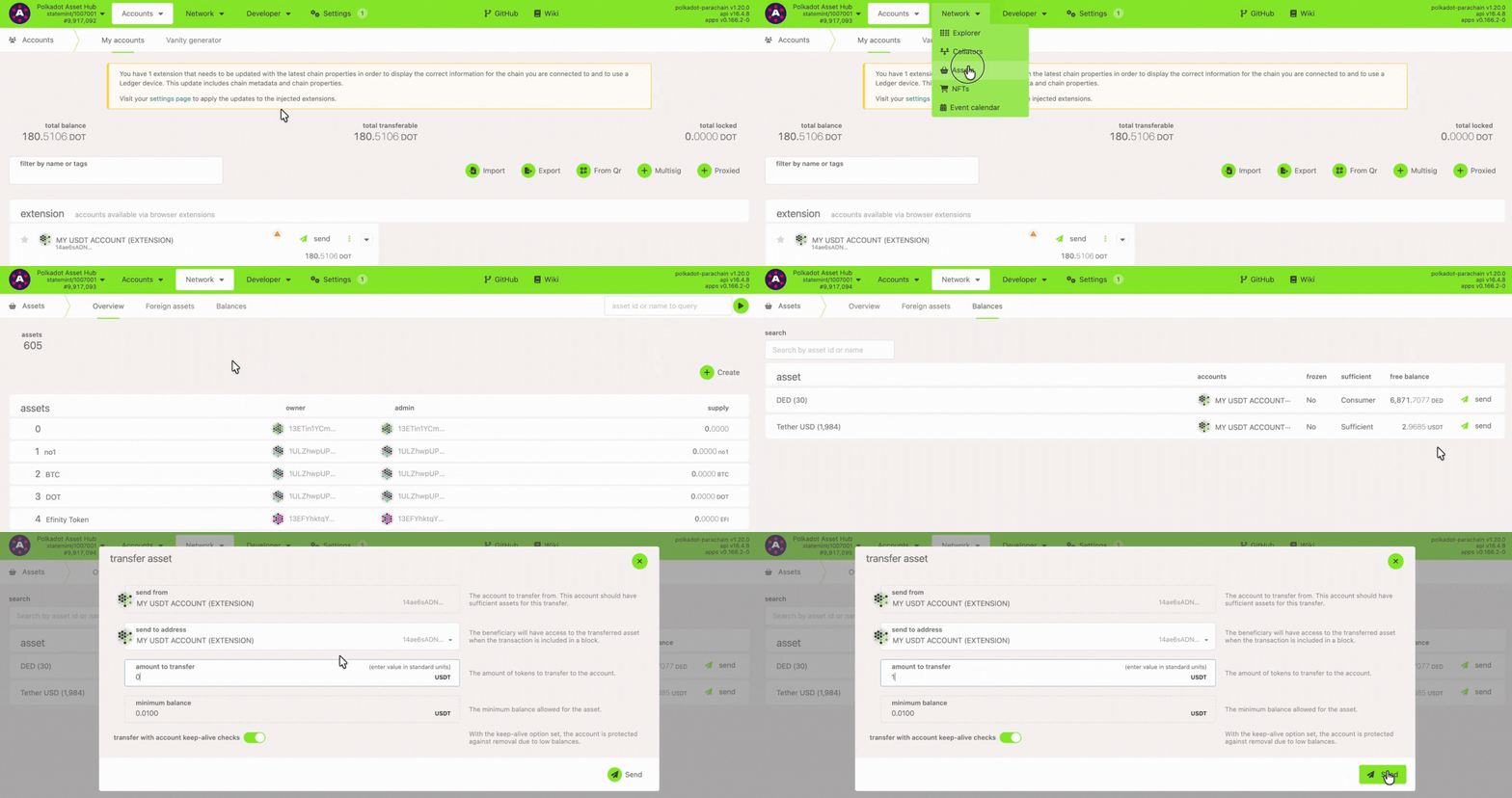
Section titled “How to transfer USDT”1. Go to Polkadot Asset Hub.
2. Next, navigate to the "Network" > "Assets" page and click on the "Balances" tab.
3. Click the "Send" button. Then enter the receiver address and the amount to transfer.
4. Sign and submit the transaction, and that's it.