

How to Set and Clear an Identity
Polkadot provides a naming system that allows participants to add personal information to their on-chain account and subsequently ask for verification of this information by registrars.
This article will guide you through the process of setting up and clearing an identity on-chain on Polkadot.
Setting an Identity
Section titled “Setting an Identity”Users can set an identity by registering through default fields such as legal name, display name, website, X handle (formerly Twitter), Matrix handle, etc. along with some extra, custom fields for which they would like attestations (see Judgements).
Users must reserve funds in a bond to store their information on chain: 0.20017 DOT, and 0.00001 DOT per byte of encoded information (or about 0.006673 KSM and 0.0000003 KSM, respectively, in Kusama). These funds are locked , not spent - they are returned when the identity is cleared.
These amounts can also be extracted by querying constants through the "Chain state constants" tab on Polkadot Developer Interface.
To set an identity, follow the steps below:
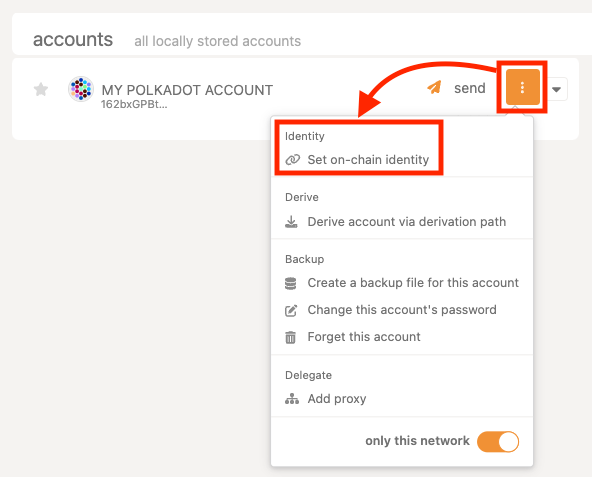
1. Click the three vertical dots next to your account and select "Set on-chain identity."
2. A popup will appear, offering the default fields. Use the toggle to fill in any fields you wish.
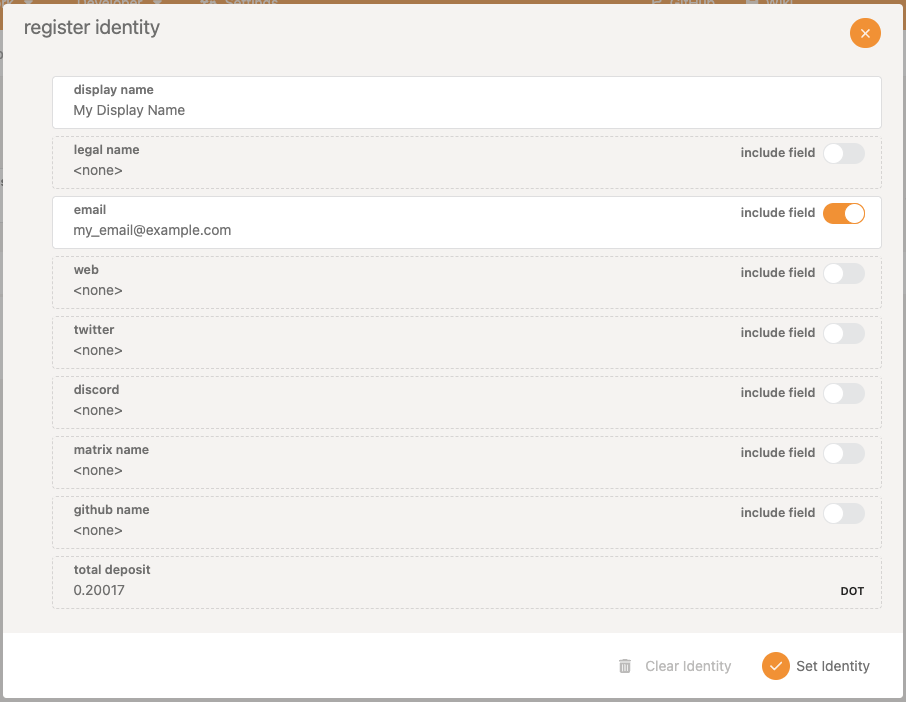
3. Click "Set Identity " to finish the process.
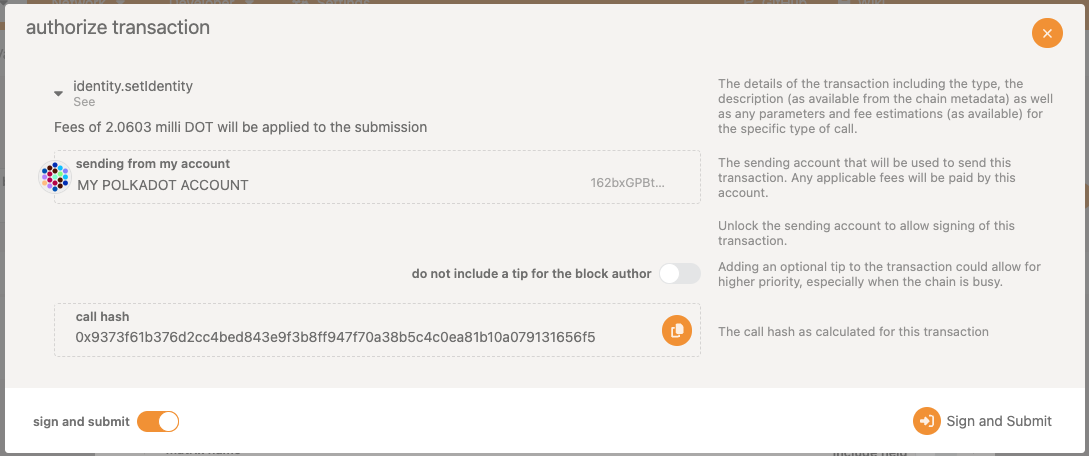
4. Sign and submit the transaction.
Clearing an Identity
Section titled “Clearing an Identity”Users can clear their identity information and have their deposit returned. Clearing an identity also clears all sub-accounts and returns their deposits.
To clear an identity:
1. Make sure the account with your on-chain identity is connected to Polkadot Developer Interface and navigate to the "Accounts" tab.
2. Click the three dots corresponding to the account you want to clear and select "Set on-chain identity."
3. Select "Clear Identity ," and sign and submit the transaction.
It is possible to kill an identity that it deems erroneous. This results in a slash of the deposit.