

Parity Signer — How to Restore Your Account
In this article, you will learn how to restore an account in Parity Signer that was originally created in Parity Signer. If you want to know how to create a new account in Parity Signer, please refer to the video tutorial in this article.
How to restore your account with your mnemonic phrase in Parity Signer
1. Download the Parity Signer app from the official website and install it on your phone. After that, enable Airplane mode, disable bluetooth, and disconnect any cables.
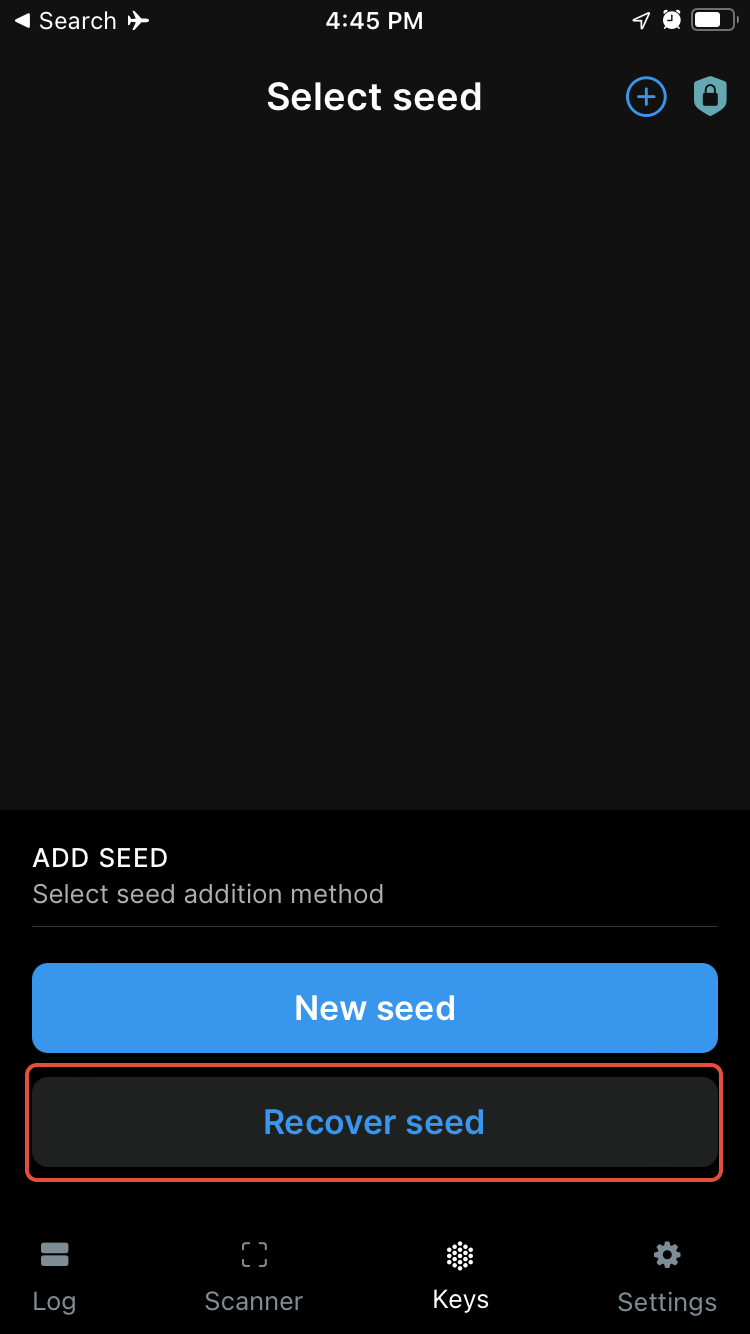
2. Open the app and select "Recover seed."
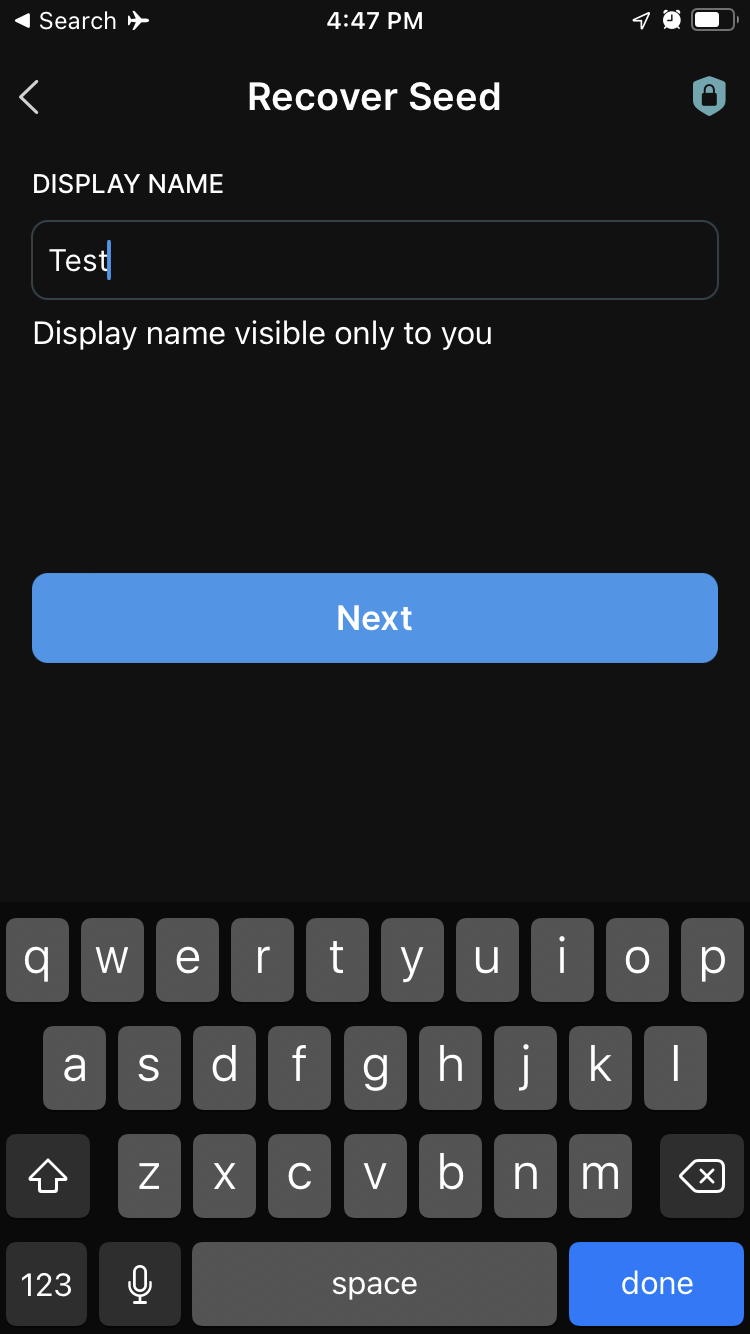
3. On the next screen, create a display name for the account.
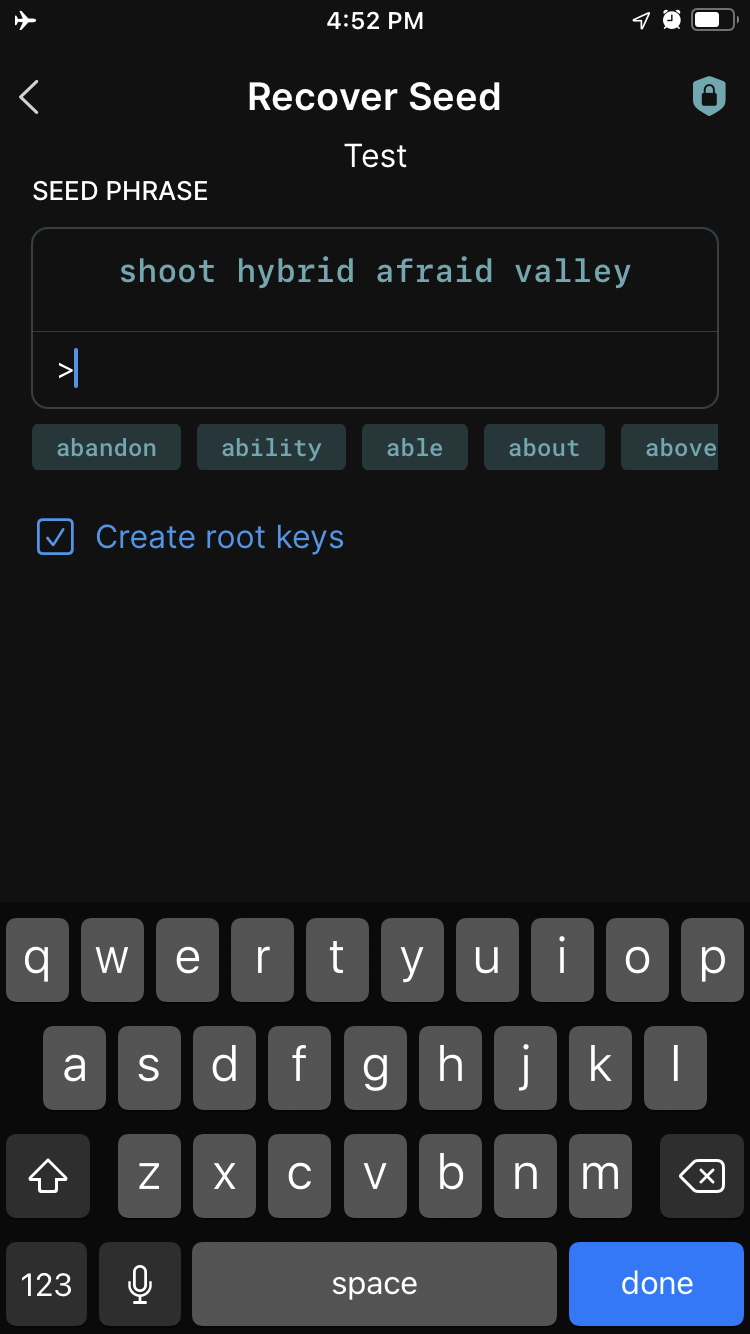
4. Next, enter your mnemonic phrase. The app will display auto-complete suggestions as you type. Press the "Next" button once you have entered all your words.
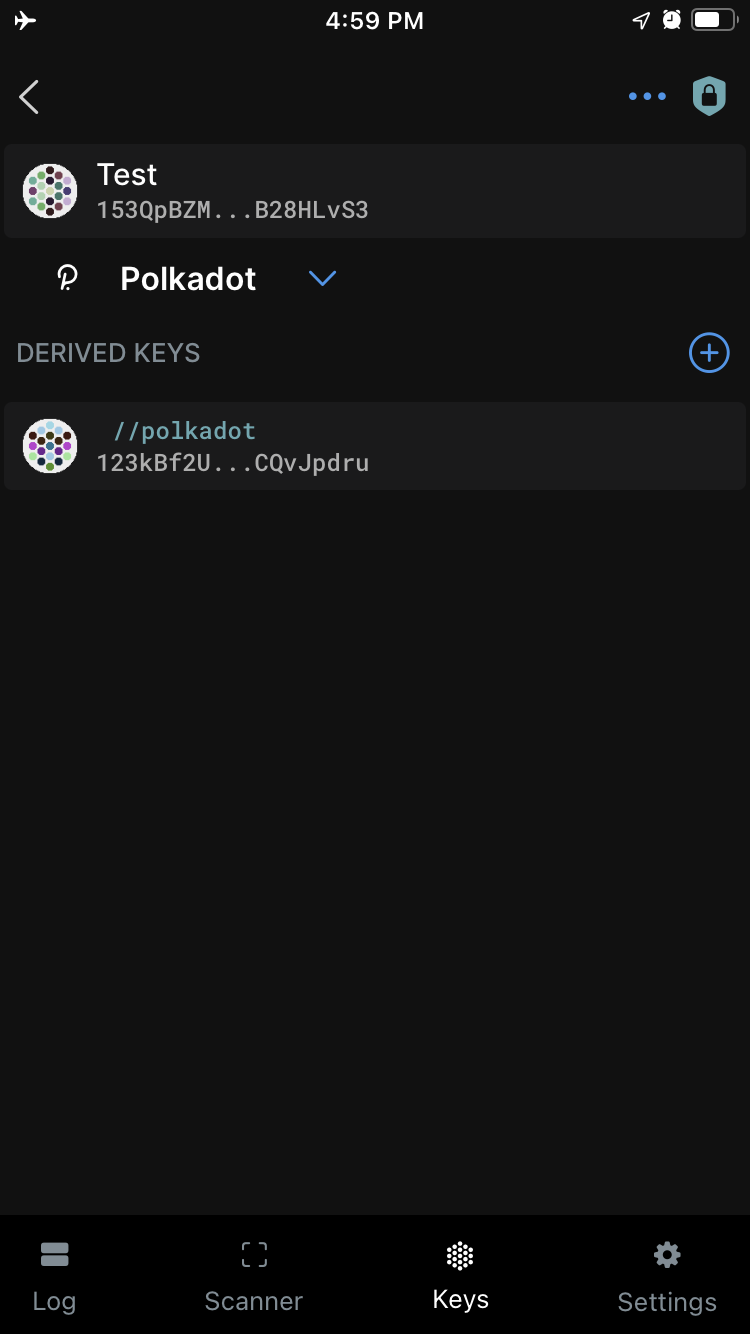
5. Your account has successfully been restored. This will bring you back to the "Keys" page.
6. Click on the account to view your Polkadot address as a QR code.
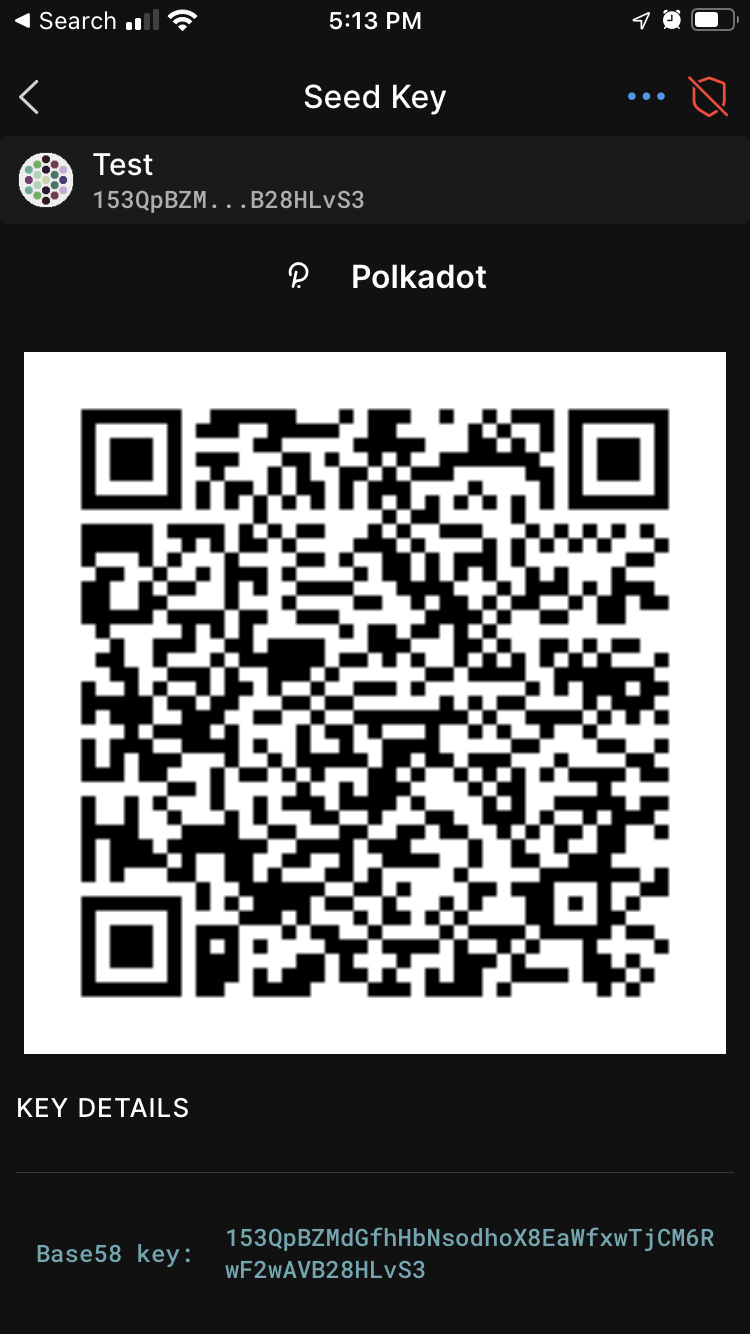
7. Now, you can seamlessly switch between networks in Parity Signer. To select a network, click the down arrow under the account to expand the dropdown. By default, only three networks are available: Polkadot, Kusama, and Westend.
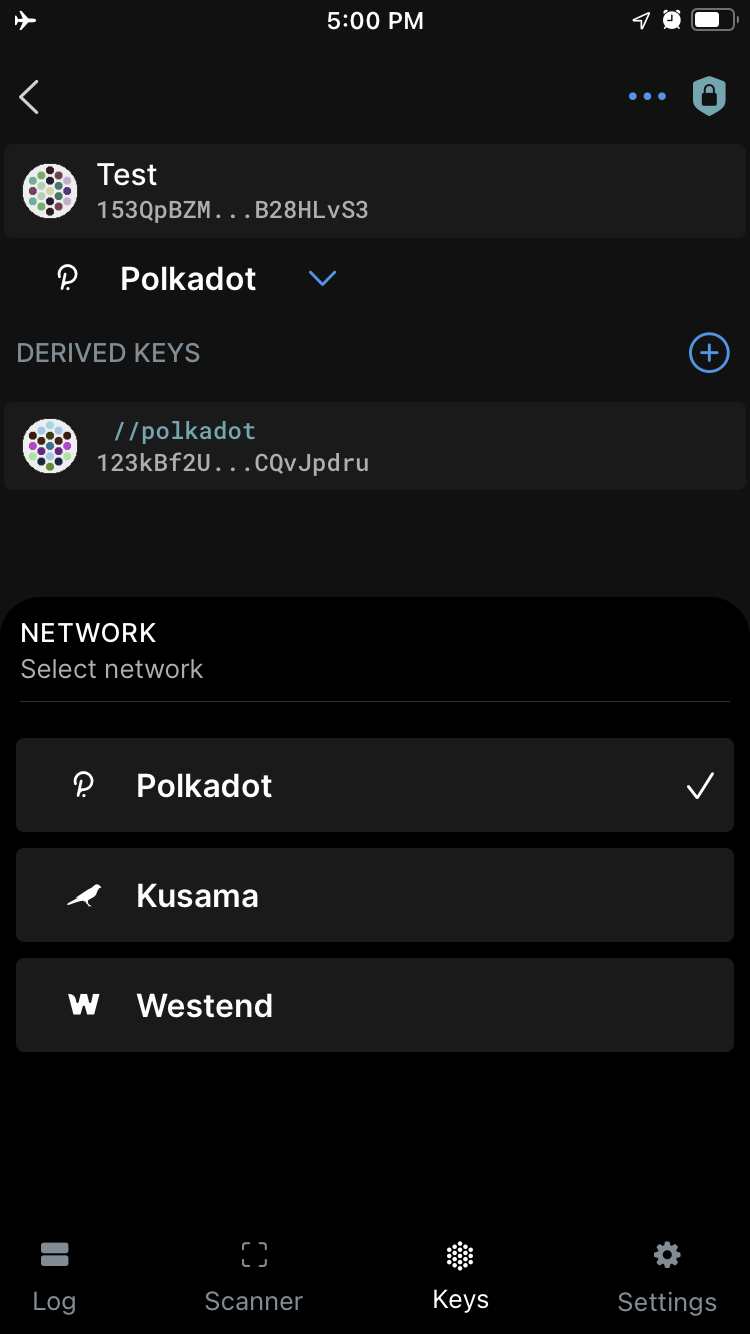
Your account should now be successfully restored.
What can I do next?
Section titled “What can I do next?”You can add your Parity Signer account to the Polkadot Developer Signer to use it with Polkadot Developer Interface. The step-by-step guide can be found here and video instructions can be found at the 4:58 timestamp in the link at the bottom of the article.
If you are more of a visual type, please check this video guide. The instructions on how to restore your account can be found at the 6:47 timestamp:
Create and Restore your Accounts on Parity Signer