

How to Change Your Controller Account
This article explains how to undo the connection between your stash and controller account by setting the stash account as its own controller using Polkadot Developer Interface.
How to change your controller account
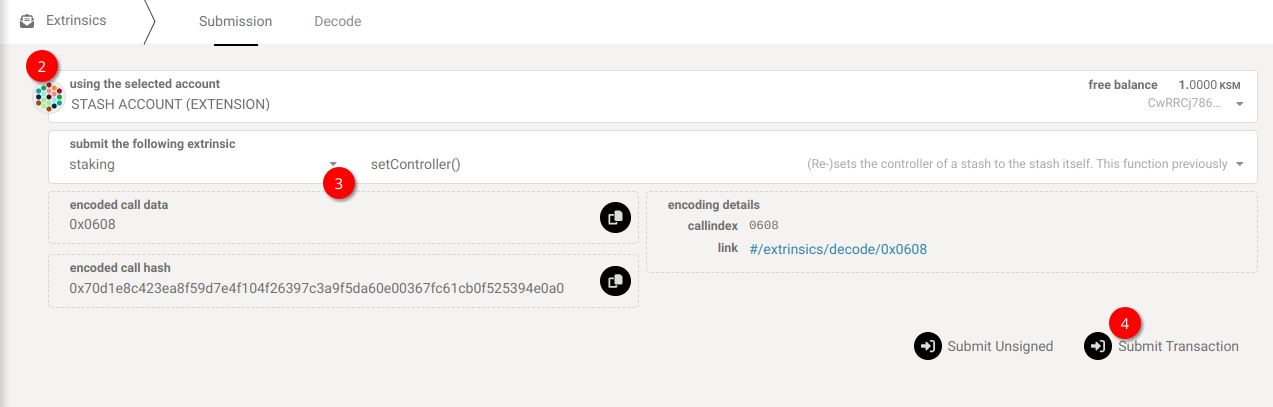
Section titled “How to change your controller account”1. On Polkadot Developer Interface, navigate to Developer > Extrinsics tab.
2. Ensure that your stash account is selected on the top field, "Using the selected account."
3. From the drop-down on the right ("Submit the following extrinsics"), select the 'staking' pallet and 'setController' from the one on its left.
4. Since 'setController' doesn't accept any other parameter, you must click "Submit Transaction" and sign the extrinsic from your wallet.
That's it. From now on, only your stash account can sign transactions on its behalf.