

Quickstart Parachain Development With Pop CLI
Introduction
Section titled “Introduction”Pop CLI is a powerful command-line tool designed explicitly for rapid parachain development within the Polkadot ecosystem. It addresses essential developer needs by providing streamlined commands to set up development environments, scaffold parachain templates, and manage local blockchain networks.
Pop CLI simplifies parachain development with features like:
- Quick initialization of parachain development environments.
- Project scaffolding from predefined parachain templates.
- Easy deployment and management of local development networks.
Developers can quickly begin coding and testing, significantly reducing setup overhead.
Install Pop CLI
Section titled “Install Pop CLI”To install Pop CLI, run the following command:
cargo install --force --locked pop-cliConfirm that Pop CLI is installed by running pop --help in your terminal:
pop --helpSet Up Your Development Environment
Section titled “Set Up Your Development Environment”To develop and build Polkadot SDK-based chains, preparing your local environment with the necessary tools and dependencies is essential. The Install Polkadot SDK Dependencies guide walks you through this setup step-by-step.
However, you can automate this entire process by running:
pop installThis command provides an interactive experience that checks and installs all necessary dependencies for you. It's the fastest and easiest way to prepare your development environment for building parachains with Pop CLI.
Initialize a Project
Section titled “Initialize a Project”Start a new project quickly using Pop CLI's pop new parachain command:
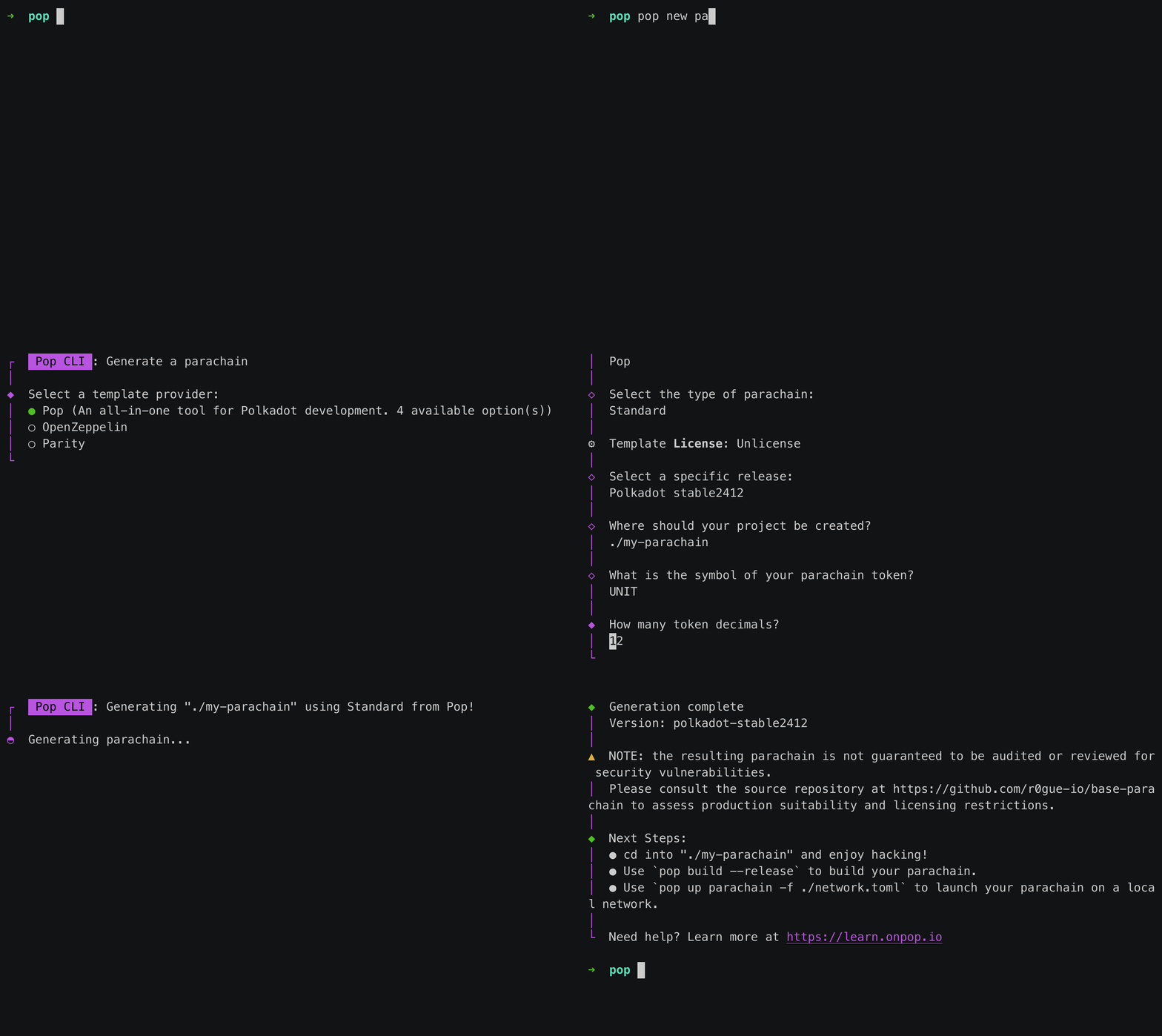
The command above scaffolds a new parachain project using the default template included with Pop CLI. For more specialized implementations, additional templates are available; you can explore them by running pop new parachain --help.
Once the project is generated, move into the new directory and build your parachain:
cd my-parachainpop build --releasePop CLI integrates the Zombienet SDK allowing you to easily launch ephemeral local networks for development and testing. To start a network, simply run the following:
pop up network -f ./network.tomlThis command will automatically fetch the necessary binaries and spin up a Polkadot network with your configured parachains.
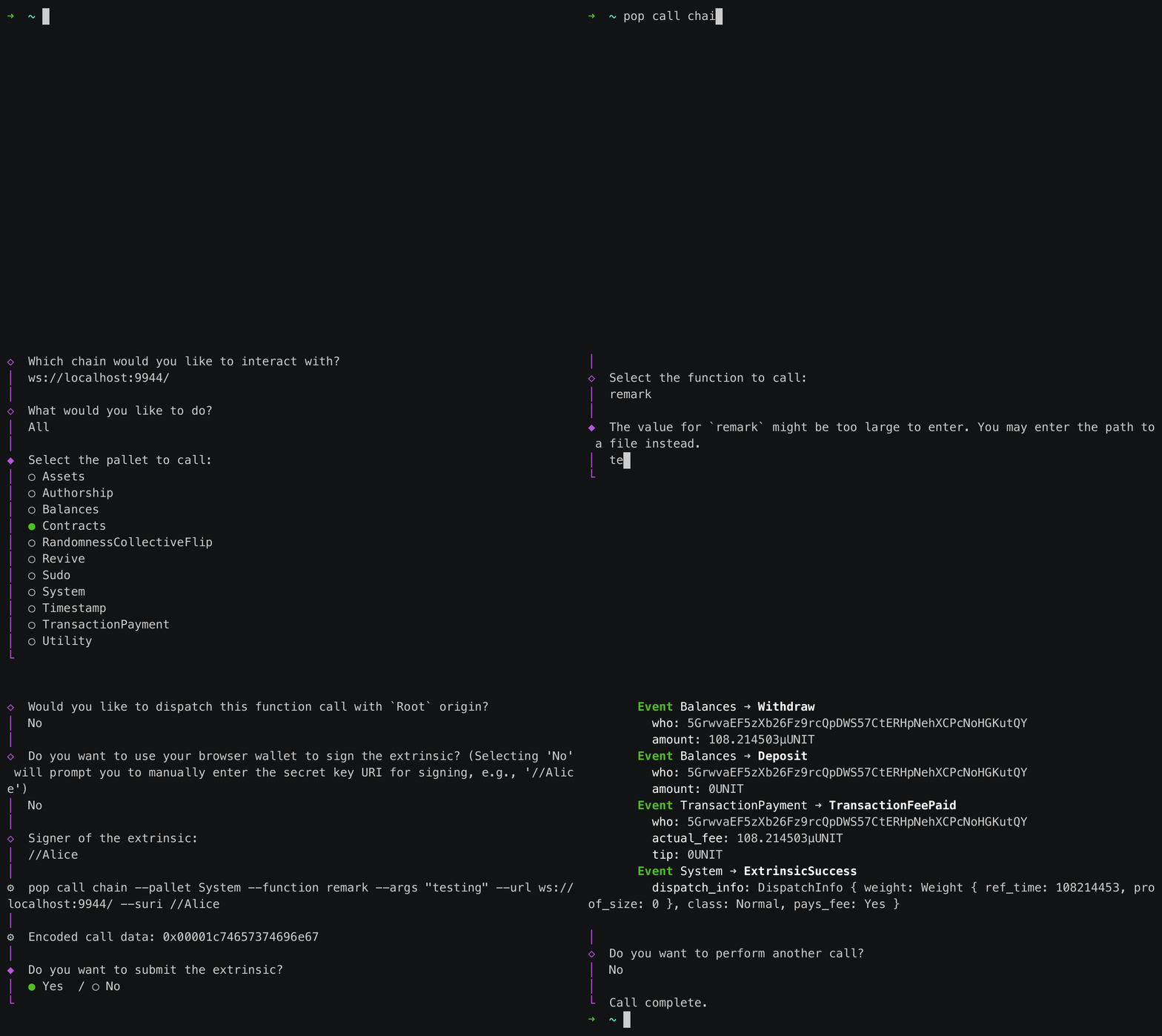
You can also interact with your local network using Pop CLI's pop call chain command:
Where to Go Next
Section titled “Where to Go Next”For a comprehensive guide to all Pop CLI features and advanced usage, see the official Pop CLI documentation.