Set Up Secure WebSocket
Introduction
Section titled “Introduction”Ensuring secure WebSocket communication is crucial for maintaining the integrity and security of a Polkadot or Kusama node when interacting with remote clients. This guide walks you through setting up a secure WebSocket (WSS) connection for your node by leveraging SSL encryption with popular web server proxies like nginx or Apache.
By the end of this guide, you'll be able to secure your node's WebSocket port, enabling safe remote connections without exposing your node to unnecessary risks. The instructions in this guide are for UNIX-based systems.
Secure a WebSocket Port
Section titled “Secure a WebSocket Port”You can convert a non-secured WebSocket port to a secure WSS port by placing it behind an SSL-enabled proxy. This approach can be used to secure a bootnode or RPC server. The SSL-enabled apache2/nginx/other proxy server redirects requests to the internal WebSocket and converts it to a secure (WSS) connection. You can use a service like LetsEncrypt to obtain an SSL certificate.
Obtain an SSL Certificate
Section titled “Obtain an SSL Certificate”LetsEncrypt suggests using the Certbot ACME client for your respective web server implementation to get a free SSL certificate:
LetsEncrypt will auto-generate an SSL certificate and include it in your configuration.
When connecting, you can generate a self-signed certificate and rely on your node's raw IP address. However, self-signed certificates aren't optimal because you must include the certificate in an allowlist to access it from a browser.
Use the following command to generate a self-signed certificate using OpenSSL:
sudo openssl req -x509 -nodes -days 365 -newkey rsa:2048 -keyout /etc/ssl/private/selfsigned.key -out /etc/ssl/certs/selfsigned.crtsudo openssl dhparam -out /etc/ssl/certs/dhparam.pem 2048Install a Proxy Server
Section titled “Install a Proxy Server”There are a lot of different implementations of a WebSocket proxy; some of the more widely used are nginx and apache2, both of which are commonly used web server implementations. See the following section for configuration examples for both implementations.
Use nginx
Section titled “Use nginx”-
Install the
nginxweb server:Terminal window apt install nginx -
In an SSL-enabled virtual host, add:
server {(...)location / {proxy_buffers 16 4k;proxy_buffer_size 2k;proxy_pass http://localhost:9944;proxy_http_version 1.1;proxy_set_header Upgrade $http_upgrade;proxy_set_header Connection "Upgrade";proxy_set_header Host $host;}} -
Optionally, you can introduce some form of rate limiting:
http {limit_req_zone "$http_x_forwarded_for" zone=zone:10m rate=2r/s;(...)}location / {limit_req zone=zone burst=5;(...)}
Use Apache2
Section titled “Use Apache2”Apache2 can run in various modes, including prefork, worker, and event. In this example, the event mode is recommended for handling higher traffic loads, as it is optimized for performance in such environments. However, depending on the specific requirements of your setup, other modes like prefork or worker may also be appropriate.
-
Install the
apache2web server:Terminal window apt install apache2a2dismod mpm_preforka2enmod mpm_event proxy proxy_html proxy_http proxy_wstunnel rewrite ssl -
The
mod_proxy_wstunnelprovides support for the tunneling of WebSocket connections to a backend WebSocket server. The connection is automatically upgraded to a WebSocket connection. In an SSL-enabled virtual host add:# (...)SSLProxyEngine onProxyRequests offProxyPass / ws://localhost:9944ProxyPassReverse / ws://localhost:9944 -
Optionally, some form of rate limiting can be introduced by first running the following command:
Terminal window apt install libapache2-mod-qosa2enmod qosThen edit
/etc/apache2/mods-available/qos.confas follows:# allows max 50 connections from a single IP address:QS_SrvMaxConnPerIP 50
Connect to the Node
Section titled “Connect to the Node”-
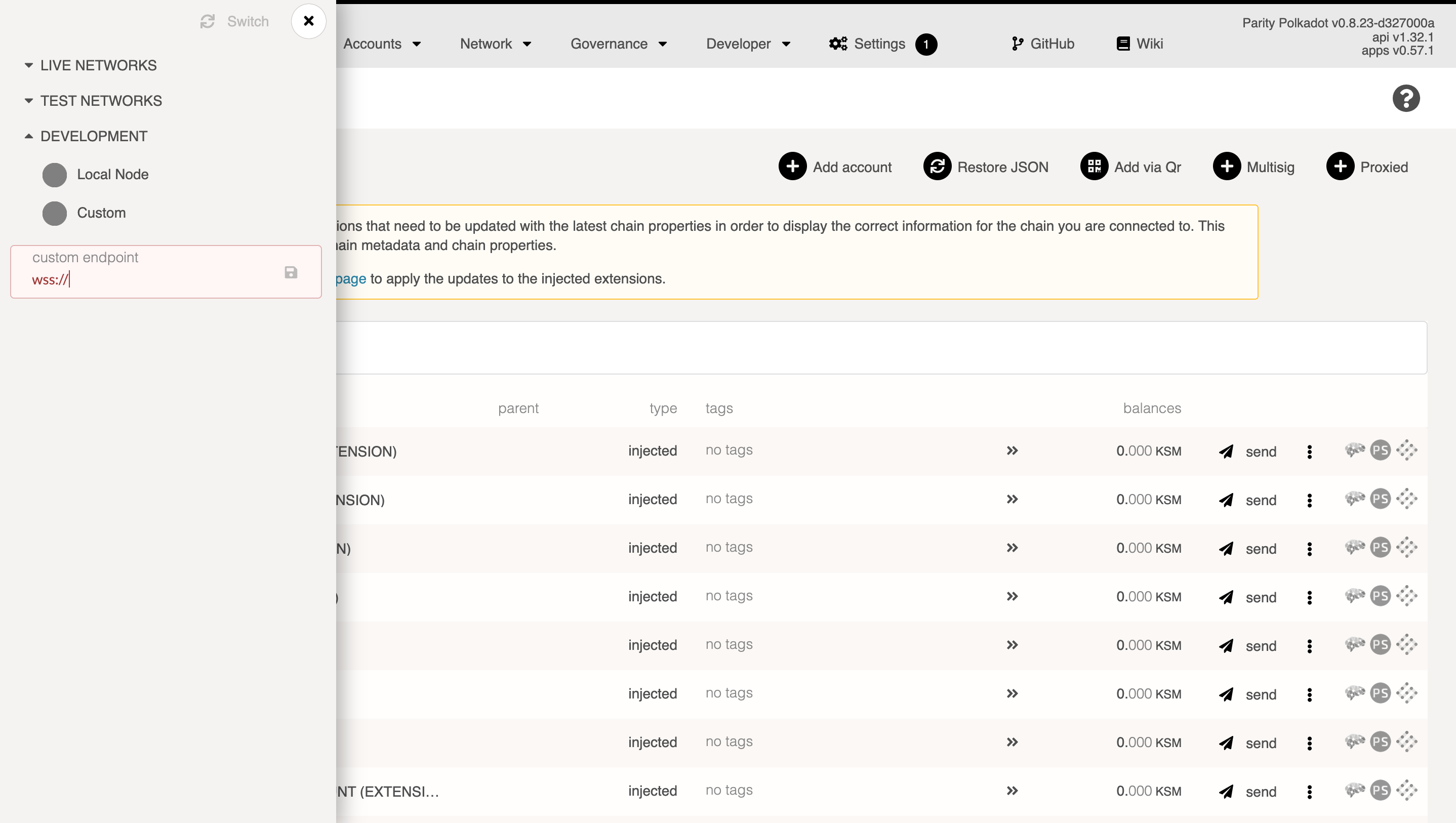
Open Polkadot.js Apps interface and click the logo in the top left to switch the node.
-
Activate the Development toggle and input either your node's domain or IP address. Remember to prefix with
wss://and, if you're using the 443 port, append:443as follows:Terminal window wss://example.com:443